Skip to content
A modern briefcase is no longer designed around paper files alone. For many professionals, the tablet has become the fastest route to presentations, signatures, video calls, sketches, sales records and cloud-based documents. Yet tablets are often carried in bags originally designed for laptops, where the device can slide inside an oversized compartment, collide with chargers or rest directly against the bottom of the case. The briefcase may look polished from the outside while providing surprisingly little real protection inside.
Briefcases with tablet storage compartments are professional carrying bags built with a dedicated sleeve or divided section sized to hold a tablet separately from laptops, documents, chargers and personal items. A well-designed tablet compartment uses controlled dimensions, cushioning, a soft lining, a secure opening and bottom clearance to reduce movement, scratching and impact. The briefcase may also include a laptop section, A4 document storage, cable pockets, a shoulder strap and a trolley sleeve for business travel.
Current business-bag designs show how this category has moved beyond the traditional single-compartment briefcase. Samsonite, for example, lists professional cases with padded areas for files, tablets and laptops, alongside organization pockets, detachable shoulder straps and luggage sleeves. Other mobile-office formats use a dedicated padded tablet sleeve, file organization and separate accessory pockets rather than placing every device in one open cavity.
The word “tablet” also covers a much wider size range than many bag specifications acknowledge. Compact devices, common 11-inch tablets, 12-inch two-in-one computers, 13-inch professional models and very large 14.6-inch tablets do not fit the same sleeve. Apple currently offers 11-inch and 13-inch iPad Pro models, Microsoft offers 12-inch and 13-inch Surface Pro models, and Samsung’s Galaxy Tab S11 Ultra uses a 14.6-inch display with a body measuring 326.3 by 208.5 millimeters.
This is why screen size printed on a product page is only the beginning. A protective case, attached keyboard, stylus holder or thick bumper can add several millimeters to every side of the device. A compartment advertised for an “11-inch tablet” may fit a bare iPad but become too tight once a folio cover is attached. Another sleeve may be generously sized but allow the tablet to move enough to strike the zipper or bag base.
Imagine a consultant rushing through an airport with a tablet, laptop, charger, notebook and documents packed into one handsome briefcase. The bag is placed beneath the seat, lifted onto a security tray and pulled over a suitcase handle. Nothing dramatic happens, yet the tablet slowly slides downward with every step until its corner rests against the briefcase floor. That quiet, ordinary journey is exactly where thoughtful compartment design proves its value.
What Is a Tablet Briefcase?
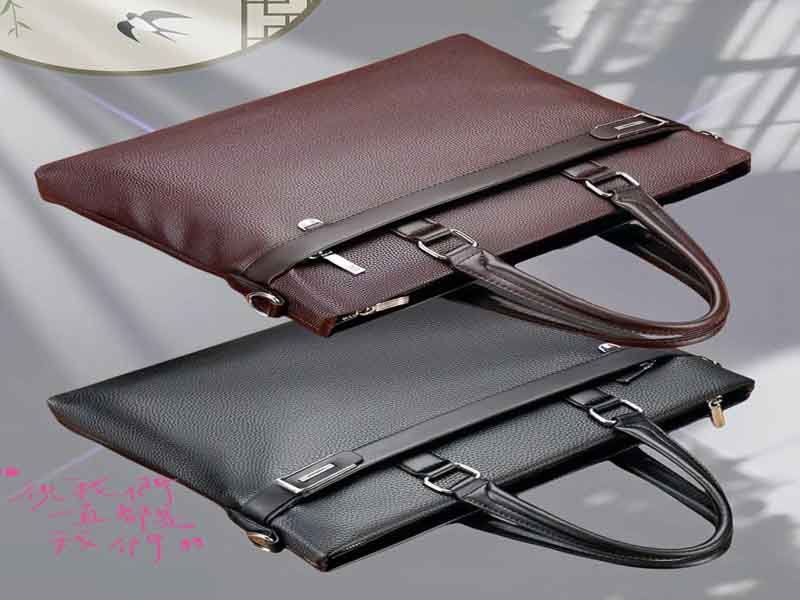
A tablet briefcase is a structured or semi-structured work bag containing a dedicated compartment for a tablet computer. Unlike a general document case, it separates the device from files, cables, metal accessories and other electronics. The tablet section is normally padded and lined, while the rest of the briefcase may contain a laptop sleeve, document divider, charger pockets, pen loops, a phone pocket and travel features.
The category includes slim leather briefcases, textile business cases, expandable work bags, messenger-style briefcases and convertible backpack designs. What connects them is not one exterior shape but the presence of a storage system designed around mobile electronics.
A useful tablet briefcase must solve several problems simultaneously:
| User need | Design response | Risk when ignored |
|---|---|---|
| Protect the screen | Soft lining and controlled internal movement | Scratches and pressure marks |
| Protect device corners | Side and bottom padding | Damage from drops or hard surfaces |
| Separate electronics | Divided tablet and laptop sleeves | Device-to-device impact |
| Carry accessories | Organized pockets for chargers and cables | Scratching and tangled cables |
| Hold documents | Flat file section | Crushed or folded paperwork |
| Support commuting | Comfortable handles and shoulder strap | Hand and shoulder fatigue |
| Support travel | Trolley sleeve and accessible pockets | Difficult airport handling |
| Maintain appearance | Structured panels and balanced loading | Sagging or distorted briefcase shape |
A tablet briefcase should be developed from the inside outward. The device dimensions, protective case, contents and working routine determine the compartment geometry. Exterior styling is important, but styling cannot compensate for a sleeve that is too shallow, poorly padded or positioned directly against hard hardware.
What Does a Tablet Briefcase Hold?
A tablet briefcase normally holds a tablet, laptop or compact computer, documents, charging equipment and everyday office accessories. More advanced designs may also hold a keyboard, mouse, power bank, headphones, phone, business cards, pens, passport, water bottle and personal belongings.
The exact contents should be decided before the bag dimensions are approved. A slim briefcase designed around one tablet and a few documents can remain lightweight and professional. A bag expected to carry two devices, a power adapter, several cables, a notebook and travel accessories needs more depth, stronger handles and a more deliberate internal layout.
Samsonite’s current leather slim brief illustrates the mixed-use approach: its padded main area is described as holding files, a tablet and a laptop up to 15.6 inches, while the front compartment includes phone and pen organization. This reflects a common user expectation that one business bag should handle both digital devices and traditional office materials.
The contents of a tablet briefcase can be divided into four functional zones:
| Storage zone | Typical contents | Design priority |
|---|---|---|
| Protected-device zone | Tablet, laptop and detachable keyboard | Padding, fit and separation |
| Document zone | A4 files, folders and notebooks | Flat storage and easy access |
| Accessory zone | Charger, cables, mouse and power bank | Organization and abrasion control |
| Personal-access zone | Phone, keys, passport and cards | Fast access and security |
The protected-device zone should remain separate from hard accessories. A power adapter placed in the same sleeve as a tablet can press against the screen when the briefcase is laid flat. Keys, metal pens and cable plugs can scratch an exposed device edge even when the main compartment is padded.
Accessory pockets should reflect actual charger sizes. Modern compact USB-C chargers take less space than older power bricks, but users may carry several cables, adapters and power banks. A pocket that looks organized in a product photograph may become unusable when a thick cable or international plug is inserted.
Documents need their own flat area. When papers share space with a tablet, they can curl around the device or become trapped beneath the keyboard case. A divider panel helps protect both the documents and the electronics.
The following example shows how different users may require different interior structures:
| User profile | Likely contents | Suitable briefcase direction |
|---|---|---|
| Sales representative | Tablet, brochures, charger and samples | Wide document section and accessible tablet sleeve |
| Consultant | Tablet, laptop, notebook and travel documents | Dual-device briefcase with trolley sleeve |
| Designer | Large tablet, stylus, sketchbook and cables | Spacious padded sleeve with pen protection |
| Executive | Tablet, documents, phone and personal items | Slim refined case with discreet organization |
| Field technician | Rugged tablet, tools and adapters | Abrasion-resistant bag with reinforced pockets |
| Student or lecturer | Tablet, books, notebooks and charger | Expandable case with comfortable shoulder strap |
| Healthcare professional | Tablet, forms and controlled accessories | Easy-clean interior and organized separation |
| Military or government user | Secure tablet, records and field accessories | Durable fabric, reinforced construction and controlled access |
A custom manufacturer should ask customers to provide either the actual devices or exact dimensions of everything the bag needs to carry. Designing around a generic “tablet and charger” description can produce pockets that are visually tidy but practically wrong.
Weight distribution should also be reviewed. A heavy charger placed in a front pocket can pull the briefcase forward. A large laptop and tablet positioned on the same side may cause the bag to lean. Balanced compartment placement helps the bag stand more naturally and carry more comfortably.
How Is It Different from a Laptop Bag?
A tablet briefcase differs from a standard laptop bag mainly through compartment scale, protection strategy and organization. Laptop sleeves are usually wider, taller and deeper than tablet sleeves. When a smaller device is placed inside a laptop compartment, it can move from side to side, fall below the retaining strap or rest against a section of padding designed for a larger computer.
A tablet is thinner than most laptops, but thinness should not be mistaken for low vulnerability. Large glass surfaces and exposed edges can be sensitive to localized pressure. A well-fitted tablet sleeve limits uncontrolled movement while avoiding excessive compression.
The most useful distinction is not between the words “tablet bag” and “laptop bag,” but between dedicated and shared storage:
| Feature | Dedicated tablet briefcase | General laptop bag |
|---|---|---|
| Sleeve dimensions | Sized for tablets or tablets with cases | Sized primarily for laptops |
| Device movement | Lower when correctly fitted | Greater for smaller tablets |
| Interior separation | Often includes tablet and laptop areas | May provide only one computer sleeve |
| Retention | Flap, elastic, zipper or close-fit opening | Often designed around laptop height |
| Padding placement | Focused around tablet edges and surfaces | Distributed around larger laptop footprint |
| Accessory layout | May prioritize stylus and compact chargers | Often prioritizes mouse and laptop adapter |
| Overall profile | Can be slimmer | Usually larger and deeper |
| Document space | Integrated with mobile work use | Varies widely |
Some modern business bags combine both roles. Samsonite’s leather brief uses a padded main compartment with storage for files, a tablet and a laptop, demonstrating that one case can support multiple device types when the internal organization is properly divided.
The danger appears when manufacturers label an oversized slip pocket as a tablet compartment without checking fit. A true tablet section should be tested using representative devices, protective covers and repeated movement.
A dual-device design should prevent the tablet and laptop from pressing directly against each other. A padded divider or separate sleeves can reduce contact. The divider should remain high enough to protect the full device surfaces rather than ending halfway up the screen.
Laptop bags also tend to be deeper because they may carry larger chargers and peripherals. A tablet briefcase can remain slimmer, but only when the user does not need a keyboard, docking hub or substantial power equipment. Surface Pro and similar two-in-one devices can function more like laptops and may require laptop-style space when a keyboard is attached.
Microsoft currently positions Surface Pro in 12-inch and 13-inch versions with separate keyboard options. From a bag-design perspective, this means a “tablet” may be carried as a screen alone or as a thicker computer-and-keyboard assembly.
The exterior appearance may be almost identical between tablet and laptop briefcases. The meaningful difference is hidden inside: sleeve dimensions, internal clearances, protection at the bottom and the location of accessory pockets.
Are Tablet Sleeves Removable?
Tablet sleeves can be removable, although many briefcases use a permanently sewn compartment. A fixed sleeve provides a clean interior and consistent device position. A removable sleeve offers greater flexibility because users can take the protected tablet out of the briefcase, replace the sleeve or use the main bag for different contents.
The better option depends on the product’s intended use. A slim executive briefcase may benefit from an integrated sleeve because it preserves a controlled profile. A modular travel or field bag may benefit from a removable padded insert that can move between workspaces.
| Sleeve format | Main advantage | Main limitation | Suitable use |
|---|---|---|---|
| Fixed sewn sleeve | Stable, clean and efficient | Cannot be removed or replaced easily | Everyday business briefcase |
| Removable zip sleeve | Secure independent protection | Adds zipper weight and thickness | Travel and mobile work |
| Hook-and-loop insert | Easy to reposition | Hook material may collect lint | Modular organizational bags |
| Snap-in sleeve | Controlled removal | Hardware can create pressure points | Premium modular cases |
| Elastic retention sleeve | Light and simple | Elastic may loosen over time | Slim tablet-only briefcases |
| Detachable padded pouch | Can be used separately | Uses more material and space | Multi-purpose travel bags |
| Adjustable divider system | Fits several device sizes | More complex and less refined | Equipment and technical cases |
A removable sleeve should not move unintentionally inside the briefcase. If the attachment is weak, the entire insert can shift during walking and reduce the benefit of controlled device positioning.
The connection method should avoid hard components near the screen. Large snaps, metal hooks or exposed zipper sliders can become impact points. Soft hook-and-loop systems are flexible, but their edges should be covered so they do not scratch the device or lining.
A removable design can support repairability. If the sleeve becomes worn or users change to a different tablet size, the component can be replaced without discarding the whole briefcase. This is useful for corporate programs where employees use different device models over several years.
However, removability increases manufacturing complexity. The insert needs its own outer fabric, lining, padding, closure and finishing. The main briefcase also needs attachment points or a properly sized cavity. The additional materials can increase cost and weight.
A hybrid approach uses a permanent padded wall with a removable size-adjustment insert. This allows one briefcase body to fit several devices without leaving smaller tablets loose. The insert can be made from foam-covered textile panels or padded spacers.
The manufacturer should test the sleeve both attached and removed. The briefcase should remain usable when the insert is absent, and the sleeve should protect the tablet when carried independently if that use is part of the design.
Who Uses Tablet Briefcases?
Tablet briefcases are used by professionals who need digital access without carrying a large backpack or traditional computer case. Common users include executives, sales teams, consultants, teachers, designers, healthcare workers, technicians, legal professionals, government staff and frequent business travelers.
Different users place different pressure on the product. An executive may prioritize a slim profile and refined leather. A technician may need abrasion-resistant nylon, a rugged tablet compartment and tool organization. A teacher may require room for documents and books, while a sales representative may need rapid access to a tablet during customer visits.
| User group | Primary need | Useful design feature |
|---|---|---|
| Executives | Polished appearance and slim organization | Leather or refined coated fabric |
| Sales teams | Fast device and document access | Wide opening and front organizer |
| Consultants | Dual-device and travel storage | Laptop sleeve, tablet sleeve and trolley strap |
| Designers | Large tablet and stylus protection | Wide sleeve and dedicated pen holder |
| Teachers | Device, papers and books | Expandable main compartment |
| Healthcare workers | Organized mobile records | Easy-clean lining and clear compartments |
| Legal professionals | Tablet plus A4 files | Flat document divider |
| Field technicians | Rugged device and accessories | Reinforced textile and secured pockets |
| Government staff | Controlled organization | Discreet appearance and secure closures |
| Frequent travelers | Airport convenience | Trolley sleeve and accessible document pocket |
The rise of larger professional tablets has blurred the boundary between mobile device and full work computer. Apple’s current iPad Pro range includes 11-inch and 13-inch models, while Microsoft’s Surface Pro line offers 12-inch and 13-inch devices. Samsung extends the category further with a 14.6-inch Galaxy Tab S11 Ultra.
This range matters because a bag developed for one user group may fail another. A compact sales tablet sleeve may not fit a designer’s large-screen device. A field bag sized for a rugged bumper case may feel unnecessarily bulky for an executive carrying a bare tablet.
Organizations ordering custom briefcases should survey the actual devices used across their teams. The purchasing department may describe them all as “company tablets,” while employees use several generations, screen sizes and protective cases.
The usage environment should also be considered. Office users need scratch and impact protection during commuting. Field users may encounter dust, moisture and rough surfaces. Travelers need compartments that open efficiently during security checks without exposing every personal item.
A well-designed tablet briefcase reflects the user’s workflow. It should place frequently accessed items near the opening and keep rarely used accessories deeper inside. This human-centered organization often creates more value than adding decorative features.
Which Tablet Sizes Can Fit?
Tablet briefcases can be designed for compact tablets, common 10- and 11-inch models, 12- and 13-inch professional devices or larger tablets above 14 inches. The screen size alone does not confirm fit because it measures the display diagonally, not the device’s outer length, width and thickness. Protective cases and keyboards must also be included when measuring the required compartment.
A manufacturer should therefore specify the usable internal sleeve dimensions rather than stating only “fits 11-inch tablets.” The most useful fit specification includes the maximum device height, width and total thickness, together with recommended clearance.
Current devices illustrate why this is important. Apple’s 11-inch iPad measures 248.6 by 179.5 by 7 millimeters, while the current 11-inch iPad Pro measures 249.7 by 177.5 by 5.3 millimeters. Although both are marketed around the same screen category, their bodies are not identical.
The 13-inch iPad Pro measures 281.6 by 215.5 by 5.1 millimeters, while Samsung’s 14.6-inch Galaxy Tab S11 Ultra reaches 326.3 by 208.5 by 5.1 millimeters. A sleeve developed narrowly around an iPad Pro may be far too short for the larger Samsung tablet even though the devices have similar widths.
Do 10-Inch Tablets Fit?
Most 10-inch tablets can fit in briefcases designed with a usable sleeve area of approximately 260 by 190 millimeters, but this should only be treated as a starting range. Actual devices may have displays marketed as 10.1, 10.2, 10.4, 10.5 or 10.9 inches, and their outer dimensions can vary according to bezel shape and aspect ratio.
A device with a long 16:10 display may be narrower and taller than a more square tablet with a similar diagonal screen size. This is why diagonal measurement is unreliable for compartment engineering.
The sleeve must also accommodate thickness. A bare tablet may be only 6 or 7 millimeters thick, but a protective folio can increase the total thickness to 15 or 20 millimeters. Rugged cases can be thicker and may include protruding corner protection.
The following development categories are useful for early planning:
| Tablet category | Suggested initial sleeve direction | Typical use |
|---|---|---|
| Compact tablet | Approximately 230 × 160 mm usable area | Reading, point-of-sale and basic mobile work |
| 10-inch class | Approximately 260 × 190 mm usable area | Education, sales and general business |
| 11-inch class | Approximately 275 × 205 mm usable area | Professional mobile work |
| 12-inch class | Approximately 295 × 215 mm usable area | Two-in-one computers and larger tablets |
| 13-inch class | Approximately 305 × 230 mm usable area | Creative and professional devices |
| Extra-large tablet | Product-specific development | Design, field and specialist use |
These figures are design starting points rather than guarantees. The correct dimensions must be confirmed using the target devices and cases.
A 10-inch compartment should not be made excessively large merely to claim broad compatibility. Too much empty space allows the device to move and can position it below the protective side padding.
Smaller tablets may need an elastic retaining band, adjustable insert or tapered sleeve to remain stable. A removable foam spacer can allow one briefcase to fit both compact and standard tablets.
The opening width must also be considered. A sleeve may have enough internal area but remain difficult to use because the top hem, zipper or retaining flap restricts access. Users should be able to insert and remove the tablet without rubbing its corners against metal hardware.
A keyboard case changes the handling behavior. It can create a thicker, less flexible device package and may need greater opening clearance than a simple silicone cover.
Which Bags Fit 11-Inch Tablets?
Briefcases marketed for 11-inch tablets should ideally provide a usable compartment slightly larger than the actual device while limiting excessive movement. A practical universal sleeve may target an internal area around 265 to 280 millimeters high, 190 to 205 millimeters wide and 15 to 25 millimeters deep, depending on the intended protective cases.
Current Apple dimensions demonstrate the required baseline. The 11-inch iPad with A16 measures 248.6 by 179.5 by 7 millimeters, while the current 11-inch iPad Pro measures 249.7 by 177.5 by 5.3 millimeters.
A sleeve built with approximately 10 to 15 millimeters of total clearance in height and width can fit a bare device comfortably. A customer expecting folio cases should allow more. Clearance should be distributed carefully rather than added only to one side.
| 11-inch sleeve strategy | Internal-fit direction | Advantages | Limitations |
|---|---|---|---|
| Close-fit sleeve | Small controlled clearance | Limits movement and creates slim profile | May reject thicker cases |
| Folio-compatible sleeve | Moderate width and depth allowance | Fits common protective covers | More movement with bare tablet |
| Adjustable sleeve | Elastic or removable spacer | Supports several device types | Greater construction complexity |
| Zippered tablet pocket | Fully enclosed storage | Adds security | Zipper must not contact device |
| Open padded sleeve | Fast access | Simple and convenient | Needs reliable retention |
| Flap-retained sleeve | Controlled opening | Prevents device sliding out | Flap adds thickness |
The compartment label should clarify whether the stated size refers to the screen or maximum physical dimensions. “Fits most 11-inch tablets” is useful retail language, but a manufacturing specification requires exact measurements.
Samsonite’s mobile-office design uses a padded sleeve described as fitting most 11-inch tablets, demonstrating how current bag products communicate a general compatibility class while also integrating file and accessory organization.
For custom production, the better approach is to create a device list. The customer can identify the main iPad, Samsung, Lenovo or Microsoft models used by the intended audience. Szoneier can then establish the maximum body dimensions and develop the sleeve around the largest realistic configuration.
The sleeve should be tested with the tablet facing both directions. Camera bumps, stylus attachments and folding covers can change the way the device enters the pocket.
The retaining closure should not press directly against the screen. A hook-and-loop flap, for example, should close above the device rather than creating a thick overlap against its center.
Can a 13-Inch Tablet Fit?
A 13-inch tablet can fit when the briefcase uses a compartment designed for large tablets or compact two-in-one computers. A typical sleeve should offer at least approximately 295 to 310 millimeters in usable height and 225 to 235 millimeters in width, with additional depth for a keyboard or protective folio.
Apple’s current 13-inch iPad Pro measures 281.6 millimeters high, 215.5 millimeters wide and 5.1 millimeters thick. A sleeve made around the bare device needs controlled clearance beyond these measurements.
Microsoft’s current Surface Pro range includes 12-inch and 13-inch models, and the devices may be carried with detachable keyboards. The keyboard should be treated as part of the stored product when determining compartment depth and opening width.
Large tablets create additional design challenges:
| Large-tablet issue | Design response |
|---|---|
| Greater screen area | Full-surface padding and rigid pressure control |
| Increased device width | Wider sleeve opening |
| Keyboard attachment | Additional depth and flexible retention |
| Higher combined weight | Stronger divider and bag structure |
| Larger corners | Reinforced side protection |
| Greater leverage during drops | Suspended or raised bottom construction |
| Stylus attachment | Dedicated pen channel or side clearance |
| Limited briefcase size | Careful balance with document storage |
The compartment should not be located too close to the outer wall. A large screen can experience pressure when the briefcase is placed beneath luggage or crowded into an overhead compartment. A semi-rigid divider or protective panel can distribute outside pressure more evenly.
The briefcase body must also be larger than the sleeve. Seam allowances, padding, zipper structure and outer edges consume additional space. A sleeve measuring 300 millimeters internally cannot be placed comfortably inside an outer bag of the same height.
A common design mistake is increasing only the height and width while retaining a thin, weak divider. Larger devices produce more leverage when the bag tilts or is dropped, so the sleeve attachment and bottom construction should also be strengthened.
Large tablets may overlap with the dimensions of compact laptops. A dual-purpose sleeve can be useful, but the manufacturer should still control movement for the thinner tablet through a flap, elastic panel or adjustable insert.
How Is Device Fit Measured?
Device fit is measured using the tablet’s complete outer height, width and thickness rather than its diagonal screen size. The measurement should include any case, keyboard, camera bump, attached stylus holder or protective corner that will remain on the device during storage.
The manufacturer should record the device in the orientation used inside the sleeve. Many briefcases hold the tablet vertically, while others use a horizontal compartment. The sleeve’s opening dimension must match the entry direction.
A reliable fitting process follows these steps:
| Measurement step | Required action | Purpose |
|---|---|---|
| Identify device model | Record exact model and generation | Avoids relying on screen label |
| Measure height | Include case and protruding corners | Establishes sleeve depth |
| Measure width | Include hinge or keyboard cover | Establishes opening size |
| Measure thickness | Measure thickest assembled point | Prevents compression |
| Check camera bump | Record localized protrusion | Avoids pressure against padding |
| Check stylus location | Include attached pen if stored | Prevents snagging |
| Add clearance | Apply controlled insertion tolerance | Supports usable access |
| Test movement | Shake and carry the prototype | Confirms retention |
| Test removal | Use one-handed and seated scenarios | Checks real convenience |
| Inspect pressure | Look for tight areas or hardware contact | Protects the screen and edges |
The suitable clearance depends on the lining, sleeve structure and desired fit. Thick, soft padding can compress slightly, while dense foam or rigid panels require more precise spacing.
Too little clearance creates friction and pressure. Users may need to force the tablet into the sleeve, placing stress on the zipper, top hem or screen. Too much clearance allows movement and reduces protection.
A common starting allowance is approximately 5 to 10 millimeters around each major dimension for a bare device, with greater space for thick cases. This is not a universal rule. The correct value depends on sleeve opening, fabric flexibility and retention method.
The prototype should be tested while the main briefcase is fully loaded. A sleeve that fits perfectly in an empty bag can become tight when documents, chargers and a laptop push against it.
Measurement tolerances should be included in bulk specifications. Foam, fabric, lining and sewing all vary slightly. The nominal sleeve size should leave enough functional margin that normal production variation does not prevent insertion.
A physical fit gauge can be created when the actual tablet is unavailable. A rigid board or three-dimensional mock device made to the maximum approved dimensions allows the factory to check every sample and production batch consistently.
Do Cases Affect Tablet Fit?
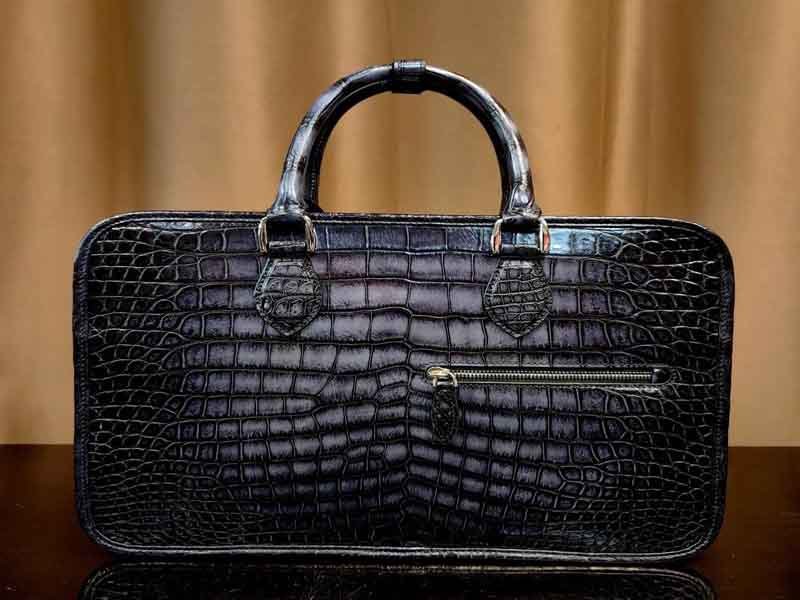
Protective cases significantly affect tablet fit. A slim magnetic folio may add only a few millimeters, while a keyboard case, rugged bumper or rotating stand can increase the device’s height, width and thickness. Some cases also create irregular protrusions that catch on sleeve openings or interfere with retaining flaps.
A briefcase described as fitting a tablet “with case” should identify what type of case was tested. The phrase can otherwise create unrealistic expectations.
| Case type | Typical fit effect | Compartment response |
|---|---|---|
| Thin magnetic folio | Small increase in thickness | Moderate depth allowance |
| Silicone edge cover | Increased corner dimensions | Wider opening and soft edges |
| Keyboard folio | Significant added thickness and weight | Deeper sleeve and stronger support |
| Rugged bumper case | Increased height, width and corners | Product-specific fit |
| Rotating stand case | Uneven back thickness | Flexible or shaped padding |
| Stylus-storage case | Added side width | Side clearance |
| Handle-equipped case | Major protrusion | Oversized or open compartment |
| Universal folding cover | Variable edge shape | Adjustable sleeve preferred |
Cases can improve impact protection, but they do not eliminate the need for a padded briefcase compartment. The tablet still needs protection from bag hardware, pressure and movement.
Keyboard covers deserve special attention because they change the device into a two-part assembly. The hinge can be thicker than the screen edge, and the keyboard may move slightly when the device is inserted. A narrow sleeve can press the keys against the display.
Attached styluses can detach when rubbed against the lining. A dedicated pen pocket is often safer than relying on a magnetic attachment during travel.
Rugged cases may contain rubberized surfaces with high friction. These can be difficult to slide into tightly woven linings. A smooth polyester or nylon lining may provide easier insertion than brushed fabric.
Customers ordering a universal briefcase should define the largest case configuration they expect. Designing only around the bare tablet may create a slim product, but it can exclude a large share of practical users.
A tiered product range can solve this problem:
| Product version | Target fit |
|---|---|
| Slim tablet briefcase | Bare tablets and thin folios |
| Standard business briefcase | Tablets with common protective covers |
| Keyboard-compatible briefcase | Tablet-and-keyboard assemblies |
| Rugged-device case | Thick protective housings |
| Adjustable company briefcase | Mixed device fleets |
During sample development, Szoneier can create dimensional mockups for each target configuration and test them inside the same prototype. This makes it possible to balance broad compatibility with a controlled, protective fit before the final compartment measurements are released for production.
How Do Compartments Protect Tablets?
Tablet compartments protect devices by controlling movement, cushioning impact, separating hard accessories and keeping the tablet away from the briefcase floor and exterior walls. An effective compartment combines suitable foam, a soft lining, reinforced edges, secure retention and enough clearance for the device or protective case. Padding alone is not enough if the tablet can slide, strike a zipper or receive pressure from a charger stored beside it.
Protection begins with understanding how damage actually occurs. Most tablets are not exposed to dramatic drops every day. They experience smaller repeated events: the briefcase is placed firmly on the floor, squeezed under an aircraft seat, pressed against a laptop, bumped against a doorway or packed beneath another bag. These ordinary forces can gradually damage corners, screens and attached accessories.
A protective compartment should manage four different risks:
| Protection risk | Typical cause | Compartment response |
|---|---|---|
| Impact | Bag is dropped or placed down firmly | Bottom and side cushioning |
| Compression | Other objects press against the device | Semi-rigid divider or protective panel |
| Abrasion | Tablet rubs against fabric, zippers or accessories | Soft lining and complete separation |
| Movement | Oversized sleeve allows sliding | Controlled dimensions and retention flap |
The best compartment is therefore not necessarily the thickest one. A very thick sleeve can still perform poorly if the device sits directly on the bag floor or if a metal zipper pull rests against the screen. Protection comes from the relationship between fit, materials and construction.
What Padding Protects the Device?
Tablet briefcases commonly use polyethylene foam, EVA foam, polyurethane foam, neoprene, felt, spacer mesh or layered textile padding. Each material behaves differently under pressure, repeated compression and temperature changes.
Closed-cell polyethylene and EVA foams are widely used because they maintain their shape, resist light moisture and provide predictable cushioning. Polyurethane foam can feel softer and more luxurious, although low-density grades may flatten after repeated use. Neoprene provides flexibility and surface protection but should not be treated as a complete substitute for structured impact padding.
| Padding material | Main characteristic | Suitable use | Main limitation |
|---|---|---|---|
| EVA foam | Resilient and shape stable | Side walls, bottoms and structured sleeves | Can feel firm at higher densities |
| PE foam | Lightweight and impact resistant | General business briefcases | Limited luxury hand feel |
| PU foam | Soft and compressible | Comfort-focused linings | Can lose thickness over time |
| Neoprene | Flexible and body conforming | Removable sleeves and close-fit pockets | Limited resistance to concentrated pressure |
| Felt | Soft and abrasion reducing | Linings and light protection | Absorbs moisture depending on fiber |
| Spacer mesh | Breathable and cushioned | Back panels and flexible compartments | Open structure offers limited hard-impact protection |
| High-density textile batting | Thin and flexible | Slim briefcases | Lower impact absorption |
| Molded foam | Precisely shaped protection | Rugged or device-specific cases | Higher tooling and development cost |
Foam density is often more important than foam thickness. A thick, low-density foam may compress almost completely when the briefcase is placed beneath luggage. A thinner, higher-density foam may maintain better separation between the tablet and the outside force.
The padding should also recover after compression. A sample can feel protective when new but become permanently flattened after several weeks of carrying a laptop, charger and documents. Compression-recovery testing helps determine whether the foam continues to protect the device over time.
Layered protection can be more efficient than one thick material. A tablet sleeve may use a soft inner textile, a medium-density foam and a thin semi-rigid support sheet. The lining prevents abrasion, the foam absorbs impact and the support layer spreads pressure across a wider area.
| Protective layer | Primary job |
|---|---|
| Soft inner lining | Reduces scratching and improves insertion |
| Cushioning foam | Absorbs short impacts |
| Semi-rigid sheet | Distributes pressure |
| Outer textile | Resists wear and holds the structure |
| Binding or seam cover | Prevents exposed edges from touching the device |
Foam should not block the usable sleeve dimensions. A compartment may measure correctly before padding is installed but become too narrow after both walls receive foam. Manufacturing specifications should state finished internal dimensions rather than only pattern dimensions.
The foam edges should extend far enough to protect the complete tablet. Short padding that ends below the upper corners leaves part of the device exposed. The bottom and side edges deserve particular attention because they receive the first contact during drops.
The material should also be assessed for odor and chemical compatibility. Foam and adhesives can release noticeable smells after sealed transport. The production team should evaluate completed samples after they have been packed in closed cartons rather than only in an open sample room.
How Thick Should the Padding Be?
Tablet-compartment padding commonly falls within an approximate range of 3 to 10 millimeters per protected side, although the appropriate thickness depends on foam density, briefcase style, device weight and expected use. A slim executive briefcase may use thinner high-density padding, while a travel or field case may use thicker multilayer protection.
These figures are development references rather than universal standards. A manufacturer should not specify padding by thickness alone.
| Protection level | Approximate padding direction | Suitable application |
|---|---|---|
| Light scratch protection | 2–3 mm soft layer | Tablet carried inside an additional protective case |
| Slim business protection | 3–5 mm resilient foam | Office commuting and executive briefcases |
| General travel protection | 5–8 mm layered cushioning | Regular transport with laptop and accessories |
| Enhanced field protection | 8–12 mm or molded system | Rugged use and repeated handling |
| Hard-case protection | Custom molded interior | Specialist technical or industrial equipment |
A thicker compartment consumes more internal space and increases the exterior size of the briefcase. If designers add 10 millimeters of foam to both faces, both side edges and the bottom, the finished bag can become noticeably larger. This may conflict with the original goal of creating a slim professional case.
Excessively soft padding can also create pressure problems. When the main compartment is full, soft foam compresses and allows chargers or books to press against the tablet. A semi-rigid divider often improves protection more effectively than adding more soft material.
Padding thickness should be adjusted by location:
| Compartment area | Recommended protection direction | Reason |
|---|---|---|
| Front face | Medium cushioning or pressure panel | Protects against external contact |
| Rear face | Medium cushioning | Separates tablet from laptop or documents |
| Side edges | Controlled foam or padded binding | Protects narrow impact zones |
| Bottom | Thicker cushioning or suspended clearance | Receives placement and drop forces |
| Top opening | Light padding with smooth edge | Supports easy access |
| Corners | Localized reinforcement | Corners concentrate impact |
The bottom normally deserves more protection than the top. A tablet is unlikely to strike the top edge during normal carrying, but it repeatedly moves downward under gravity. The compartment floor should remain above the briefcase’s exterior bottom or use sufficiently resilient padding.
A useful prototype test includes loading the briefcase with the intended laptop, files and accessories, then checking whether the compartment padding remains evenly distributed. Foam can shift, fold or become trapped in seam allowances during sewing.
The sample should also be evaluated after repeated compression. The briefcase can be placed under a controlled weight for several hours, unloaded and inspected for foam recovery. Permanent flattening indicates that the original thickness may not remain available during long-term use.
The customer should decide whether the tablet will usually have its own case. Designing for a bare tablet requires more careful lining and fit. Designing for a rugged case allows reduced internal cushioning but requires greater dimensional clearance.
Is a Suspended Sleeve Safer?
A suspended tablet sleeve can provide better bottom-impact protection because the sleeve ends above the exterior floor of the briefcase. When the bag is placed down firmly, the tablet does not immediately strike the same surface as the bag base. The effectiveness depends on the suspension distance, sleeve attachment and the weight of the device.
Suspended construction is commonly used in laptop backpacks and can also improve tablet briefcases. A raised bottom clearance of approximately 10 to 25 millimeters can provide an additional buffer, though the required distance depends on the bag size, foam and structure.
| Sleeve construction | Bottom protection | Interior efficiency | Manufacturing complexity |
|---|---|---|---|
| Sleeve sewn to bag floor | Low without thick padding | High | Simple |
| Padded floor sleeve | Moderate | High | Low to moderate |
| Raised sleeve | Good | Slightly reduces usable height | Moderate |
| Fully suspended sleeve | Very good when securely attached | Uses more internal space | Higher |
| Removable padded insert | Variable | Flexible | Higher component count |
| Molded device cradle | High | Device specific | High |
Suspension does not mean the sleeve should hang loosely. A poorly controlled pocket can swing inside the bag and allow the tablet to strike surrounding objects. The sleeve should remain attached to stable divider panels and side seams.
The clearance must also remain after the briefcase is loaded. A soft bag base may bend upward when a charger, bottle or document stack presses against it. A semi-rigid bottom panel helps preserve the protective gap.
The sleeve attachment should support the combined weight of the tablet and case. Large tablets with keyboards can weigh considerably more than compact devices. Weak top-edge stitching may gradually stretch, causing the suspended pocket to sink toward the bottom.
A suspended sleeve creates useful hidden space beneath the tablet, but this space should not become an accessory pocket. Placing a charger directly under the suspended compartment removes the benefit because the tablet can still strike a hard object.
A visual inspection alone cannot confirm suspension performance. The factory can insert a rigid device gauge, press the briefcase base upward and measure whether the tablet remains separated from the external surface.
The bottom exterior also matters. Briefcases with protective feet, reinforced piping or a stable base panel provide another layer of separation from floors. However, feet should not create hard internal pressure points beneath the tablet compartment.
Do Soft Linings Prevent Scratches?
Soft linings reduce the risk of surface scratching by preventing direct contact with coarse outer fabrics, exposed seams and hard accessories. Common choices include brushed polyester, microfiber, tricot, fleece, fine nylon, smooth polyester and soft cotton. The lining must remain clean and free from trapped grit because even a soft textile can scratch a screen when abrasive particles collect inside it.
Microfiber and brushed synthetic linings feel protective and are suitable for bare devices. Smooth polyester and nylon allow tablets with rubberized cases to slide in more easily. Cotton creates a natural hand but can attract lint and absorb moisture.
| Lining material | Surface feel | Insertion behavior | Suitable device condition |
|---|---|---|---|
| Microfiber | Very soft | Smooth | Bare tablets and premium sleeves |
| Brushed polyester | Soft and cushioned | Moderate friction | Bare devices and thin folios |
| Polyester tricot | Fine and controlled | Smooth | General business briefcases |
| Nylon lining | Smooth and low friction | Very easy | Rugged or rubber-edged cases |
| Cotton | Soft and natural | Moderate | Tablets already using covers |
| Fleece | Thick and soft | Higher friction | Protective removable sleeves |
| Felt | Soft but relatively firm | Moderate | Structured compartments |
Softness alone is not enough. The lining should be colorfast, abrasion resistant and firmly bonded or sewn to the foam. Loose lining can wrinkle beneath the tablet and create uneven pressure.
Dark linings hide dirt but make it harder to see small items. Light linings improve visibility but show stains quickly. A medium gray, beige or muted color can provide a practical balance.
The lining seam should not run directly beneath the device screen or corner. Raised seam allowances and thick binding can create pressure points. Whenever possible, seams should be placed along protected edges and turned away from the device.
Zipper teeth and sliders should remain outside the padded boundary. A zipper can secure the compartment, but the opening needs a protective lip or welt to prevent metal contact.
Hook-and-loop fasteners also require careful placement. The hook side can scratch cases or collect fibers. It should face away from the device and remain covered when the sleeve is open.
The lining should be tested for dye transfer under heat and humidity. A dark interior can leave marks on light-colored tablet cases when the bag is exposed to warm storage conditions.
Cleaning behavior matters as well. Tablet compartments collect dust, crumbs and cable debris over time. A removable or easy-to-open lining area is easier to maintain than a narrow deep sleeve that cannot be cleaned.
How Are Corners Reinforced?
Tablet-compartment corners are reinforced with localized foam, folded cushioning, binding, semi-rigid panels, molded inserts or additional textile layers. Corners are vulnerable because impact force concentrates over a small area and tablet screens often extend close to the device edges.
A flat sheet of foam may leave gaps where the side and bottom pieces meet. Better constructions overlap the cushioning, wrap one continuous piece around the edge or add corner blocks.
| Corner method | Protection benefit | Main trade-off |
|---|---|---|
| Overlapped foam panels | Reduces gaps between surfaces | Adds thickness |
| Wrapped U-shaped foam | Creates continuous side and bottom protection | Requires accurate patterning |
| Foam corner blocks | Absorbs localized impact | Can reduce internal fit |
| Molded EVA insert | Precise corner coverage | Higher tooling cost |
| Padded binding | Protects edge seams | Limited deep-impact control |
| Semi-rigid corner plate | Spreads force | Can feel hard if poorly covered |
| Reinforced textile layers | Improves seam durability | Adds limited cushioning |
The corner shape should reflect the device and its case. A square internal pocket may press against tablets with rounded protective bumpers. A slightly radiused corner often provides smoother insertion and more even padding contact.
The side seams should remain outside the device’s direct impact path. If the seam sits exactly at the tablet corner, repeated pressure may compress the padding and expose a harder stitched ridge.
Corner reinforcement must not make the compartment too tight. During sample approval, the device should enter without forcing or scraping. The manufacturer may need to enlarge the pattern slightly after adding corner layers.
The tablet should also remain upright rather than leaning toward one corner. A retention flap, elastic panel or appropriately fitted sleeve helps distribute the device evenly.
External corner protection can complement the compartment. Briefcase piping, folded edge construction and abrasion-resistant bottom panels reduce damage before impact reaches the sleeve.
For field-use briefcases, molded or layered corner systems may be appropriate. For a slim executive case, excessive corner volume can look bulky. The design should match the realistic risk instead of applying rugged protection to every product.
A useful test places a rigid tablet gauge inside the loaded briefcase and subjects the bag to controlled low-height drops on the base and lower corners. Inspectors then examine the foam, seam movement and device clearance. The test should be documented so sample and bulk results can be compared.
Szoneier can develop tablet compartments with different foam densities, suspended bottoms, linings and corner structures. Customers can provide actual devices, dimensional mockups or model lists so the internal system is tested around real equipment instead of a generic screen-size label.
Which Briefcase Materials Work Best?
Leather, nylon, polyester and canvas can all work well for tablet briefcases when the outer material is combined with suitable padding, lining and structural support. Leather provides a refined appearance and strong abrasion performance, nylon offers high strength with relatively low weight, polyester delivers cost-efficient durability and color flexibility, while canvas creates a casual natural texture. No outer fabric protects a tablet by itself; device safety depends on the full layered construction.
The best material depends on where the briefcase will be used. An executive traveling between offices may prioritize a polished leather surface. A technician moving between sites may need high-tenacity nylon with coated backing. A promotional work bag may use polyester for consistent color and economical customization. A lifestyle brand may prefer cotton canvas for its tactile character.
Material evaluation should consider:
| Material factor | Why it matters |
|---|---|
| Tensile strength | Supports loaded seams and handles |
| Tear resistance | Controls damage around punctures and edges |
| Abrasion resistance | Protects high-contact surfaces |
| Water resistance | Reduces moisture entering the bag |
| Surface finish | Influences appearance and cleaning |
| Weight | Affects carrying comfort |
| Flexibility | Changes opening and packing behavior |
| Colorfastness | Prevents fading and transfer |
| Coating compatibility | Determines barrier and structure |
| Logo compatibility | Affects printing, embroidery and embossing |
| Aging behavior | Influences long-term appearance |
| Repairability | Determines whether worn parts can be restored |
Material names alone provide limited information. A lightweight low-density nylon and a high-tenacity woven nylon may perform very differently. The same applies to leather grades, polyester deniers and canvas weights.
Is Leather Suitable for Tablet Storage?
Leather is suitable for tablet briefcases when it is supported by a protective interior. It provides a professional appearance, good surface abrasion resistance and the ability to develop character over time. Full-grain, top-grain, corrected-grain and split leather constructions can all be used, but they differ in strength, finish and cost.
Leather does not provide sufficient impact absorption by itself. A leather shell should contain foam, lining and device separation. Thick leather may improve structure and distribute pressure, but it can also increase briefcase weight significantly.
| Leather direction | Appearance | Performance character | Suitable product |
|---|---|---|---|
| Full-grain leather | Natural and premium | Strong surface with visible variation | Executive and luxury briefcases |
| Top-grain leather | Refined and controlled | Balanced appearance and durability | Professional work bags |
| Corrected-grain leather | Uniform embossed finish | Consistent color and surface | Larger standardized programs |
| Split leather | Economical leather construction | Lower surface strength without coating | Entry-level leather products |
| Suede | Soft matte texture | Sensitive to dirt and moisture | Accent panels rather than exposed travel use |
| Vegetable-tanned leather | Firm and develops patina | Can react to water and sunlight | Heritage designs |
| Chrome-tanned leather | Soft and color flexible | Broad performance range | General business briefcases |
Leather thickness should be selected according to the panel. Main body pieces may use a different thickness from handles, piping and reinforcement tabs. Using one heavy leather across the whole product can create bulky corners and difficult zipper installation.
Natural leather varies in grain and shade. Premium programs should define acceptable marks and panel-matching rules. A customer may welcome visible natural character on a heritage bag but expect more uniformity on a minimalist executive case.
Water resistance depends largely on the finish. Protected leather can tolerate light rain, while untreated or absorbent leather may stain. Even water-resistant leather requires attention at seams and zipper openings.
Leather briefcases should be tested for:
| Test area | Risk being controlled |
|---|---|
| Dry and wet rubbing | Color transfer |
| Flexing | Finish cracking |
| Surface abrasion | Premature wear |
| Handle pull | Leather or reinforcement tearing |
| Edge paint flexing | Cracks and peeling |
| Water spotting | Visible marks |
| Hardware contact | Scratching and discoloration |
| Heat aging | Finish change |
| Odor | Tanning or adhesive smell |
| Panel consistency | Shade and grain mismatch |
The leather interior should not contact the tablet directly unless its reverse surface is smooth and controlled. Suede-like flesh sides can shed particles or create friction. A separate textile lining is usually more practical.
Leather also creates weight considerations. A heavy briefcase may look substantial when empty but become uncomfortable after adding a laptop, tablet and charger. The material should support premium perception without making the final product unnecessarily heavy.
Synthetic leather can provide more uniform color, easier cleaning and lower cost. Its performance depends on the backing textile and surface coating. PU-coated materials should be checked for flex resistance, hydrolysis and peeling, especially in warm and humid environments.
Which Nylon Fabric Is More Durable?
High-tenacity nylon fabrics are generally more durable than basic nylon when yarn quality, weave and finishing are comparable. Common briefcase constructions use nylon fabrics described by denier, such as 420D, 500D, 840D or 1000D. Higher denier often produces a heavier and more rugged fabric, but it does not automatically guarantee better tear or abrasion performance.
Denier measures yarn linear density rather than finished-fabric strength. Weave construction, yarn type, coating and finishing remain critical.
| Nylon direction | Typical character | Suitable briefcase use |
|---|---|---|
| 210D nylon | Lightweight and flexible | Linings and internal pockets |
| 420D nylon | Balanced weight and durability | General business and travel bags |
| 500D high-tenacity nylon | Strong with controlled weight | Professional and field briefcases |
| 840D nylon | Substantial abrasion resistance | Heavy-use business and equipment bags |
| 1000D nylon | Rugged and thick | Military, industrial and field cases |
| Ballistic-style nylon | Dense woven appearance | Premium travel and high-abrasion zones |
| Ripstop nylon | Reinforcing grid limits tear growth | Lightweight technical bags |
A 500D high-tenacity fabric may outperform a lower-quality 840D fabric. The specification should therefore include measurable performance requirements rather than relying only on denier.
Nylon has good abrasion resistance and relatively high strength-to-weight performance, making it suitable for travel and field briefcases. It can also remain flexible in a structured bag when combined with foam and reinforcement panels.
Ballistic-style nylon is often selected for professional travel cases because of its dense weave and rugged appearance. The term is used broadly in the market, so buyers should request the actual yarn, weight, weave and test data rather than assuming every fabric carrying the label performs identically.
Coatings can add water resistance and stiffness. Polyurethane coatings are common on the reverse side, while other barrier systems may be used according to the product. Coating adhesion should be tested after folding and aging.
Nylon can absorb more moisture than polyester, although this does not mean the bag will immediately become wet inside. The weave, coating, seams and exposure time determine practical performance.
For custom briefcases, abrasion zones can use heavier nylon while the main body uses a lighter grade. Bottom panels, corners and handle attachments receive more wear and may justify localized reinforcement.
| Briefcase area | Nylon strategy |
|---|---|
| Main body | Balanced 420D or 500D construction |
| Bottom | Higher-denier or coated reinforcement |
| Corners | Abrasion-resistant overlays |
| Internal sleeve | Lightweight nylon or soft lining |
| Organizer pockets | 210D to 420D depending on load |
| Shoulder strap | High-strength webbing rather than body fabric |
| Trolley sleeve | Strong fabric with reinforced opening |
Nylon should be tested for colorfastness, coating peel, abrasion, seam strength and resistance to snagging. Dark shades may show dust, while very bright colors require careful UV and rub testing.
Are Polyester Briefcases Water Resistant?
Polyester briefcases can be water resistant when the fabric uses a tight weave, water-repellent surface finish and an internal coating or lamination. Standard untreated polyester is not automatically waterproof, and stitched seams, zipper openings and needle holes remain possible entry paths.
Polyester is widely used because it offers stable color, good dimensional control, relatively low moisture absorption and economical production across many weights.
Common polyester briefcase materials include:
| Polyester material | Typical characteristic | Suitable application |
|---|---|---|
| 300D polyester | Lightweight and economical | Promotional and light office bags |
| 420D polyester | Balanced body and flexibility | Everyday business cases |
| 600D polyester | Structured and widely available | General briefcases and work bags |
| 900D polyester | Heavier and more abrasion resistant | Utility and travel briefcases |
| 1200D polyester | Rugged and substantial | Equipment and heavy-use bags |
| Polyester Oxford | Textured woven surface | Business and travel products |
| Recycled polyester | Verified recycled-content option | Sustainability-led collections |
The familiar 600D polyester can vary considerably. Yarn quality, fabric weight, coating thickness and weave density affect the final performance. A low-cost 600D construction may feel thin and develop coating cracks, while a well-made version can provide dependable daily use.
Water performance can be improved through:
| Water-control feature | Function |
|---|---|
| Durable water-repellent finish | Encourages droplets to bead on the surface |
| PU backing | Slows water through the fabric |
| PVC backing | Adds a stronger barrier and structure |
| Laminated film | Creates controlled panel resistance |
| Covered zipper | Reduces direct water entry |
| Storm flap | Protects the opening |
| Bound seams | Covers raw fabric edges |
| Seam sealing | Improves resistance at stitched lines |
A water-repellent surface treatment can wear through abrasion and cleaning. The backing coating may also crack at folded corners. Testing should include repeated flexing rather than only observing a new fabric.
“Waterproof briefcase” should be used only when the complete product meets a defined test. Most professional textile cases are more accurately described as water resistant, meaning they protect against light rain or brief exposure but should not be submerged.
Polyester is usually easier to dye consistently than natural canvas or leather. This makes it suitable for corporate colors and coordinated product ranges. Sublimation printing may be possible on suitable white polyester components, though it is not appropriate for every coated fabric.
Polyester can also use recycled feedstock. Recycled-content claims should be supported by supply-chain documentation or relevant certification when required. Recycled material should still meet the same strength, color and coating expectations as conventional polyester.
Does Canvas Protect Electronic Devices?

Canvas can protect electronic devices when it is used as a durable outer shell over a padded and lined compartment. Cotton canvas provides a natural hand and casual professional appearance, while polyester-cotton blends can improve dimensional stability and abrasion performance. Canvas alone offers limited impact protection and may absorb water unless treated.
Canvas weight is often expressed in ounces per square yard or grams per square meter. Heavier canvas generally feels more substantial, but weave density and finishing also matter.
| Canvas direction | Product character | Suitable briefcase style |
|---|---|---|
| Lightweight cotton canvas | Soft and casual | Tablet sleeves and light work bags |
| Medium canvas | Balanced natural structure | Everyday messenger briefcases |
| Heavy canvas | Rugged and substantial | Heritage and utility bags |
| Waxed canvas | Water-repellent heritage finish | Travel and outdoor business cases |
| Cotton-polyester canvas | Controlled stability | Corporate and repeated-use products |
| Dyed canvas | Broad color direction | Lifestyle and branded briefcases |
| Coated canvas | Improved surface resistance | Fashion and travel cases |
Waxed canvas develops marks and creases through use. Many customers appreciate this patina, while others may interpret it as damage. Product descriptions and approved appearance standards should set the correct expectation.
Untreated cotton canvas absorbs moisture. A light rain may darken the surface, and the material should be dried completely before storage. Water-repellent treatments or wax improve resistance but change touch, color and cleaning requirements.
Canvas can be laminated or backed for greater structure. However, adding synthetic backing changes the material story. A bag marketed for natural-fabric appeal should disclose the complete construction accurately.
Canvas is well suited to embroidery, patches, screen printing and leather trim. It can support a relaxed professional style that sits between formal leather and technical nylon.
Abrasion areas may require reinforcement. Bottom corners, zipper ends and handle anchors can wear faster than the broad panels. Leather, coated textile or double-layer canvas patches can extend service life.
The fabric should be checked for shrinkage and color transfer. Dark cotton canvas may rub onto light clothing, particularly when damp. Pre-treatment and testing reduce this risk.
For electronics, the main limitation of canvas is pressure protection. A soft canvas bag can collapse around a tablet when placed beneath other luggage. Semi-rigid panels and internal padding are needed when compression is likely.
Which Lining Material Is Best?
The best lining material depends on the tablet surface, protective case and briefcase use. Microfiber and brushed polyester offer a soft premium surface, polyester tricot provides controlled low-bulk protection, nylon supports easy insertion, and smooth polyester is durable and easy to clean. Cotton is comfortable and natural but may absorb moisture and create more friction.
For most professional tablet compartments, a smooth or lightly brushed polyester lining provides a practical balance of softness, durability, color control and manufacturing consistency.
| Lining material | Scratch protection | Cleaning | Friction | Best use |
|---|---|---|---|---|
| Microfiber | High | Moderate | Low to moderate | Bare tablets and premium cases |
| Brushed polyester | High | Moderate | Moderate | Executive briefcases |
| Polyester tricot | Good | Good | Low | General tablet compartments |
| Smooth polyester | Moderate to good | Easy | Low | Rugged cases and business bags |
| Nylon | Moderate | Easy | Very low | Rubber-edged and bulky cases |
| Cotton | Good when clean | Moderate | Moderate | Natural-style briefcases |
| Fleece | High | More difficult | High | Removable padded sleeves |
| Felt | Good | Moderate | Moderate | Structured inserts |
The lining should be selected together with the tablet case. Rubberized cases can grip brushed surfaces and become difficult to remove. Smooth nylon or polyester makes insertion easier.
A bare glass-and-metal tablet benefits from a softer lining. Microfiber can provide a premium feel, but it must remain clean because trapped grit can still scratch the device.
The lining should not transfer dye, shed fibers or develop excessive pilling. Rub testing and aging evaluation help confirm long-term appearance.
Organizer pockets may use a different lining from the tablet sleeve. A soft device compartment can be combined with a more durable polyester lining in areas holding chargers, keys and adapters.
Light-colored lining improves visibility, helping users find cables and small accessories. However, it reveals dirt quickly. Medium tones often provide a practical compromise.
Antimicrobial or easy-clean treatments may be requested for healthcare or shared-equipment environments. Such claims should be supported by appropriate technical documentation and should not replace routine cleaning.
The lining, foam and adhesive system should be evaluated together. Adhesive bleed-through can create hard spots or stains. Quilting can stabilize the layers but may introduce seam ridges against the device.
Szoneier can compare leather, nylon, polyester and canvas outer materials with different lining and padding systems during sample development. By testing the completed briefcase with the intended tablet, case, laptop and accessories, customers can evaluate protection, appearance, weight and cost before confirming the final specification.
How Is Interior Storage Organized?
A well-organized tablet briefcase separates devices, documents, power accessories and frequently used personal items into distinct storage zones. The tablet should remain inside a padded sleeve, the laptop should have its own supported compartment, flat documents should not bend around chargers, and hard accessories should be contained in pockets that prevent them from pressing against a screen. Effective organization is not about adding the greatest number of pockets; it is about placing each item where users can reach it without creating bulk, imbalance or hidden pressure points.
Interior design should begin with an inventory of what the target user actually carries. A consultant may need two devices, international adapters, a mouse and travel documents. A sales representative may carry product sheets, business cards and a tablet used for presentations. A field technician may need a rugged device, charging equipment and small tools. These users may choose the same exterior briefcase style but need very different internal structures.
The interior can be divided into several functional zones:
| Storage zone | Typical contents | Main design requirement |
|---|---|---|
| Tablet zone | Tablet, folio cover and stylus | Padding, controlled fit and soft lining |
| Laptop zone | Notebook computer or two-in-one device | Bottom support and pressure protection |
| Document zone | A4 files, folders and notebooks | Flat surfaces and sufficient height |
| Power zone | Charger, cables and power bank | Containment and separation from devices |
| Quick-access zone | Phone, passport, cards and keys | Accessible opening and secure pockets |
| Personal zone | Headphones, glasses and small belongings | Flexible space without device pressure |
| Travel zone | Tickets, identification and adapters | Fast access without opening the main section |
| Optional equipment zone | Mouse, presentation remote or tools | Shaped or reinforced pockets |
When these zones overlap, the briefcase becomes difficult to use. A charger pocket positioned directly against the tablet sleeve can create a hard lump on the screen. A deep front organizer may pull the bag forward when filled. A document section that shares space with a water bottle can expose papers and electronics to moisture.
Good organization considers the bag both open and closed. Pockets may look spacious while the briefcase is empty but become compressed after the tablet and laptop are inserted. The prototype must therefore be tested with the complete intended load.
Are Laptop and Tablet Sections Separate?
Laptop and tablet sections should normally be separate when both devices will be carried regularly. Separate sleeves reduce device-to-device contact, control movement and make it easier to remove one product without disturbing the other. A shared compartment can work in a very slim briefcase, but it should contain a padded divider that protects the full height and width of both devices.
A laptop is usually thicker and heavier than a tablet. If the two devices share one loose cavity, the laptop can press against the tablet when the briefcase is placed flat or squeezed during travel. Their metal edges may also contact one another around a short divider.
Several dual-device configurations are possible:
| Configuration | Protection level | Space efficiency | Suitable use |
|---|---|---|---|
| Two independent padded sleeves | High | Moderate | Daily dual-device carrying |
| One sleeve with full-height divider | Good | High | Slim professional briefcases |
| Tablet pocket on laptop sleeve wall | Moderate to good | High | Compact work bags |
| Tablet pocket in front organizer | Moderate | High | Fast tablet access |
| Removable tablet sleeve beside laptop section | High | Moderate | Flexible travel briefcases |
| Shared open device cavity | Low without additional protection | High | Occasional carrying only |
Two independent sleeves provide the clearest separation but consume more internal space. Each sleeve requires lining, padding and seams, making the briefcase thicker. A full-height padded divider can reduce bulk while still preventing direct contact.
The divider should extend above the top edge of the smaller device. A half-height divider may protect the lower portion but allow upper corners to collide as the briefcase moves.
The laptop section normally requires stronger bottom support because of the computer’s additional weight. The tablet sleeve can be attached to the front of this compartment, but the attachment should not cause the laptop’s weight to collapse the tablet padding.
The order of the devices also matters. Placing the laptop closest to the user’s body can improve carrying balance because the heaviest object sits nearer the body. The tablet may then occupy a protected sleeve toward the front. However, this arrangement requires enough external protection to prevent front impacts.
A dual-device compartment should answer four questions:
| Design question | Why it matters |
|---|---|
| Can either device be removed independently? | Supports fast meetings and security checks |
| Are hard edges fully separated? | Prevents scratching and impact |
| Does the heavier laptop compress the tablet? | Controls screen pressure |
| Do both devices remain stable when only one is carried? | Prevents movement in a partially filled bag |
Retention systems may differ between the sleeves. A laptop compartment can use a broad padded strap, while a close-fitting tablet pocket may need only an elastic edge or short flap. Closures should remain thin enough that they do not create pressure between the devices.
The compartment should also support future device changes. A customer may use a 13-inch laptop during the first production year and a slightly different model later. Controlled flexibility is useful, but excessive oversizing reduces protection.
For company programs, the development team should identify the largest laptop, largest tablet and thickest common protective cases used across employees. A fit matrix can then show which combinations work together:
| Laptop configuration | Tablet configuration | Recommended bag direction |
|---|---|---|
| 13-inch laptop | 10- or 11-inch tablet | Slim dual-sleeve briefcase |
| 14-inch laptop | 11-inch tablet with folio | Standard business case |
| 15.6-inch laptop | 11- or 13-inch tablet | Full-size structured briefcase |
| 16-inch laptop | 13-inch tablet | Large travel or technical case |
| Compact two-in-one device | Small tablet | Adjustable modular interior |
| Rugged laptop | Rugged tablet | Reinforced field briefcase |
The briefcase should be tested while carrying both devices and while carrying each one alone. Removing the laptop may leave the tablet section unsupported if the internal structure relies too heavily on the computer’s rigidity.
Which Pockets Hold Chargers?
Chargers should be stored in gusseted, elasticated, zippered or shaped pockets positioned away from the tablet screen. The pocket needs enough depth for the charger body and plug without forcing the accessory against the device compartment. Compact cables can use mesh or elastic pockets, while large power adapters need a three-dimensional storage area.
The charger pocket is one of the most commonly underestimated parts of a business briefcase. A flat slip pocket may look clean in a sample photograph, but a thick adapter stretches the fabric outward and presses into surrounding contents.
Charger sizes vary considerably:
| Charger type | Approximate storage behavior | Recommended pocket |
|---|---|---|
| Compact USB-C charger | Small but relatively hard | Elastic slip or small gusseted pocket |
| Multi-port wall charger | Wider and thicker | Zippered gusseted pocket |
| Laptop power adapter | Heavy with long cable | Reinforced three-dimensional pocket |
| International adapter | Irregular shape and protruding pins | Padded zip pocket |
| Power bank | Flat but relatively heavy | Secure sleeve with controlled fit |
| Charging dock or hub | Wide with multiple ports | Structured accessory pocket |
| Detachable cable set | Flexible and easily tangled | Mesh pocket or cable loops |
Hard plugs and exposed pins should remain covered. A charger with folding prongs is easier to store than one with fixed metal pins, but the briefcase must accommodate the actual accessory used by the customer.
Pocket placement affects comfort and balance. A heavy laptop adapter stored in the outer front panel can cause the briefcase to lean away from the user. Positioning heavier accessories near the center or lower section keeps the load more stable.
However, chargers should not sit directly at the bottom without cushioning. When the bag is placed down, a hard adapter can receive impact and transfer force into nearby devices. A raised or padded accessory pocket can reduce this risk.
Pocket depth should be tested after the main devices are inserted. A gusset may expand into the tablet sleeve rather than outward, reducing usable device space.
Several pocket constructions can be compared:
| Pocket construction | Advantages | Limitations |
|---|---|---|
| Flat slip pocket | Slim and economical | Unsuitable for thick adapters |
| Elastic mesh pocket | Visible and flexible | Mesh may snag sharp plugs |
| Gusseted fabric pocket | Holds three-dimensional accessories | Adds sewing complexity |
| Zippered accessory pouch | Secure and contained | Slider and zipper add hard components |
| Removable cable pouch | Flexible and easy to clean | Can be misplaced |
| Molded organizer | Precise and protective | Device-specific and costly |
| Padded power pocket | Reduces accessory impact | Adds thickness |
The opening should be wide enough to remove the charger without pulling hard on the lining. A small pocket with a narrow elastic edge may retain the adapter securely but frustrate users during everyday access.
Zippered charger pockets should have smooth internal surfaces and sufficient zipper clearance. Metal or plastic zipper teeth must not rub against cable insulation.
For international travelers, the accessory section may need room for several plug adapters. A removable pouch can be useful because the user can take the complete charging kit to a hotel desk without carrying the whole briefcase.
Cable length also affects the pocket. A laptop charger may include a power brick, detachable wall cord and device cable. Storing these parts together prevents mismatched or missing components.
The pocket should not be positioned beneath a bottle holder or other area exposed to liquid. Electronics accessories require separation from wet items even when the briefcase outer fabric is water resistant.
How Are Cables Kept Organized?
Cables are organized through elastic loops, hook-and-loop straps, mesh pockets, zippered pouches, divided sleeves and removable organizer panels. The system should prevent tangling without forcing users to wrap cables so tightly that the conductors or connector joints are damaged.
Loose cables create more than visual clutter. Metal connectors can scratch tablets, cable ends can catch in zippers, and tightly tangled wires slow users during meetings or security checks.
Common cable-management methods include:
| Cable system | Best suited to | Main advantage | Main concern |
|---|---|---|---|
| Elastic loops | Short charging and data cables | Quick access and low bulk | Elastic can loosen |
| Hook-and-loop straps | Medium or long cables | Adjustable and reusable | Hook surface may catch lining |
| Mesh zipper pocket | Several small cables | Contents remain visible | Connectors can collect at one end |
| Divided slip pocket | Individually assigned cables | Clean organization | Fixed sizing |
| Removable organizer board | Multiple adapters and cables | Can be used outside the bag | Adds component weight |
| Small zip pouch | Mixed electronics accessories | Simple and flexible | Less immediate visibility |
| Cable spool pocket | Long charging cable | Controls winding | More specialized construction |
Elastic loops should match the cable diameter. A large loop cannot retain a thin data cable, while a tight loop can damage thick braided cables or make them difficult to remove.
The loops should be spaced far enough apart that connectors do not overlap. USB-C plugs, HDMI adapters and charging heads create more bulk than the cable itself.
A removable organizer panel can provide the most flexibility. It may use elastic bands, mesh pockets and a zippered pouch on one board. Users can remove it for meetings or replace it when their equipment changes.
However, organizer panels should not become too elaborate. A complicated system requiring every cable to be carefully woven through several loops may look impressive in product photography but feel inconvenient in daily use.
A simple cable-management workflow is often more effective:
| Item | Practical storage method |
|---|---|
| Daily charging cable | One quick-access elastic loop |
| Backup cable | Zippered mesh pocket |
| Laptop charging cord | Wrapped beside power adapter |
| Short data cable | Small divided pocket |
| Presentation adapter | Secure shaped slip pocket |
| Earphone cable | Small pouch or dedicated pocket |
| International plug | Reinforced accessory compartment |
Cable pockets should remain away from the tablet screen. Even soft cables can contain hard connectors that create pressure points.
The organizer lining should resist snagging. Open mesh with large holes may catch thin cable ends. Fine mesh or smooth woven polyester provides more controlled storage.
Labels or simple color coding can support company equipment kits. A sales team may need dedicated spaces for tablet cable, presentation adapter and power bank. Printed pocket icons can make equipment checks faster.
Removable pouches can also reduce the number of pockets sewn into the main briefcase. One well-designed accessory module may be more useful than many fixed compartments that become outdated as technology changes.
Do Briefcases Hold A4 Documents?
Most full-size tablet briefcases can hold A4 documents when the internal document area is at least slightly larger than 210 by 297 millimeters. The compartment must also account for folders, binding edges, seam allowances and the way documents are inserted. A sleeve sized exactly to the paper dimensions will normally be too tight for practical use.
North American users may carry US Letter documents measuring approximately 216 by 279 millimeters. A well-designed international business briefcase can accommodate both A4 and Letter formats without excessive empty space.
A practical document compartment may need a usable area around 230 to 250 millimeters wide and 310 to 330 millimeters high, depending on the folder type and orientation. These dimensions are starting references rather than fixed rules.
| Document type | Storage need | Suggested construction |
|---|---|---|
| Loose A4 sheets | Flat protection | Smooth full-height divider |
| A4 folder | Additional width and thickness | Gusseted document section |
| US Letter documents | Similar width with lower height | Universal file compartment |
| Bound report | Greater depth and edge clearance | Expandable divider |
| Legal-size document | Longer body requirement | Specialist extended briefcase |
| Notebook | Thickness and cover allowance | Separate slip section |
| Presentation folder | Wide, rigid dimensions | Semi-structured file area |
| Tablet keyboard cover | Similar to thin document folder | Protected device-adjacent sleeve |
The document section should remain flat. Chargers, bottles and small items should not share the same cavity because they create bends and pressure marks.
A divider can be made from lining fabric, foam-backed textile, thin board or a semi-rigid plastic sheet. A light fabric divider provides organization but little protection against bending. A semi-rigid divider helps papers remain flat while also distributing pressure away from the tablet.
The document compartment should open widely enough that users can insert folders without catching corners. A narrow zipper opening can technically fit A4 paper but make daily access awkward.
Expansion may be useful for users carrying varying document volumes. An accordion gusset allows the section to grow, but it adds depth and may make the briefcase appear bulky when empty.
| Document-section style | Capacity | Profile | Suitable user |
|---|---|---|---|
| Flat divider | Low | Slim | Executive and digital-first user |
| Gusseted section | Medium | Moderate | Sales and consulting |
| Accordion file | High | Larger | Legal, education and project work |
| Removable document sleeve | Flexible | Moderate | Travel and modular use |
| External rear file pocket | Quick access | Slim | Tickets and temporary documents |
| Zippered file compartment | Secure | Moderate | Travel and confidential papers |
Documents may also need privacy. An open divider is convenient inside the main compartment, while a zippered file section provides greater security.
For airport travel, a rear exterior pocket can hold boarding documents, but it should close securely enough that papers do not fall out when the briefcase is placed on a trolley.
The document area should be evaluated after the bag is filled with devices and accessories. A divider may appear sufficient when empty but become too narrow once the charger pocket expands.
Are Accessory Pockets Necessary?
Accessory pockets are necessary when they prevent hard objects from contacting devices, improve access or organize frequently used equipment. They are unnecessary when they merely divide the interior into many small spaces that do not match real items. A briefcase with eight poorly sized pockets may be less useful than one with three carefully planned compartments.
The need for each pocket should be justified through a specific object or user action.
| Pocket purpose | Necessary when | May be unnecessary when |
|---|---|---|
| Phone pocket | User needs fast protected access | Phone stays in clothing pocket |
| Pen loops | Writing instruments are used frequently | User works entirely digitally |
| Charger pocket | Adapter is carried daily | Briefcase is tablet-only |
| Business-card slot | Cards are exchanged regularly | Digital contact sharing is standard |
| Passport pocket | Bag is used for travel | Product is office-only |
| Key tether | Keys need secure separation | User carries keys elsewhere |
| Mouse pocket | Laptop work is expected | Tablet-only workflow |
| Headphone pocket | Audio accessories are carried | Earbuds remain in a small case |
| Bottle holder | User carries drinks | Moisture risk outweighs convenience |
| Tracker pocket | Location device is used | Adds no value to target customer |
Pockets should reflect current device ecosystems. Traditional briefcases sometimes include multiple small slots designed around older mobile phones, memory cards and business tools. These pockets may waste space in a modern product.
Flexible pockets adapt better than rigid compartments. Elastic mesh can hold different chargers and accessories, while removable dividers allow users to change the layout.
However, elastic materials should be tested for long-term recovery. A pocket stretched around a large charger may remain loose when later used for a smaller item.
Pocket visibility improves usability. Users should be able to recognize contents without emptying the compartment. Mesh, contrast lining or wider openings can help.
Security also matters. A passport or wallet pocket should not be located on an exposed exterior panel without a closure. High-value items should sit closer to the user’s body or inside the main zippered area.
Pocket openings should not face downward when the bag is carried vertically. Small objects can fall out as the briefcase rotates.
The quantity of pockets affects manufacturing cost. Each pocket adds cutting, edge finishing, sewing, inspection and potential measurement variation. Complex organizers should therefore create measurable user value.
A useful pocket-development process is:
| Step | Question |
|---|---|
| List intended contents | What items are actually carried? |
| Measure each object | What usable pocket size is required? |
| Rank access frequency | Which items need immediate access? |
| Identify hard objects | Which items must be separated from devices? |
| Review weight | Where should heavy accessories be positioned? |
| Create a loaded mockup | Do pockets still function when filled? |
| Remove redundant pockets | Does each compartment solve a real need? |
| Test with users | Can items be found naturally? |
For private-label development, customers can choose a standardized organizer or create a layout around company-issued equipment. Szoneier can build physical accessory mockups when actual chargers, adapters or tools are unavailable, helping confirm the pocket dimensions before production.
Which Carrying Features Matter?
The most important carrying features are comfortable handles, an adjustable shoulder strap, balanced weight distribution, reliable attachment points and travel-compatible details such as a trolley sleeve. Convertible carrying options can add flexibility, but they should not increase weight or complexity without solving a real user need. Comfort depends on how the complete loaded briefcase behaves, not merely on whether the handles contain padding.
A briefcase that weighs one kilogram when empty may exceed four or five kilograms after a laptop, tablet, power supply, files and personal items are added. This changes how handles feel, how the shoulder strap presses against the body and how much stress reaches the attachment seams.
Carrying design should be evaluated under the intended working load:
| Carrying concern | Design response |
|---|---|
| Hand pressure | Rounded or padded handles |
| Shoulder pressure | Wide adjustable strap and pad |
| Bag swinging | Balanced attachment position |
| Handle pull-out | Reinforced anchor construction |
| Strap twisting | Swivel hooks and correct webbing alignment |
| Travel convenience | Trolley sleeve |
| Hands-free use | Backpack or crossbody option |
| Excessive empty weight | Efficient material selection |
| Bag leaning | Balanced internal compartment layout |
| Clothing abrasion | Smooth strap edges and controlled fabric texture |
Are Padded Handles More Comfortable?
Padded handles are generally more comfortable when the briefcase carries several kilograms because they distribute pressure and prevent narrow edges from pressing into the hand. Comfort depends on handle width, cross-sectional shape, padding density, surface material and the distance between the two handles.
A handle may appear padded while containing only a thin soft layer that collapses under load. Effective padding should maintain shape and create a broad, smooth contact surface.
Common handle constructions include:
| Handle style | Comfort level | Appearance | Main consideration |
|---|---|---|---|
| Flat webbing handle | Moderate | Technical or casual | Edges may press under load |
| Folded fabric handle | Moderate | Coordinated with bag body | Internal reinforcement needed |
| Foam-padded wrap handle | High | Professional and comfortable | Padding recovery |
| Rolled leather handle | High when well formed | Premium | Stitching and edge finishing |
| Molded rubber grip | High | Technical | Weight and aging |
| Joined handle wrap | High for two-handle carry | Travel-oriented | Wrap must stay closed |
| Rope-style handle | Low to moderate | Decorative | Concentrated pressure |
Handle width is a major factor. A 15-millimeter strap can be appropriate for a compact tablet case but become uncomfortable on a dual-device briefcase. Handles around 25 to 40 millimeters wide usually distribute business-bag loads more effectively, depending on the construction.
A rolled handle creates a rounded grip that can feel comfortable and refined. The internal core may use rope, foam tubing or layered textile. The covering must remain secure and free from hard seam ridges.
Handle spacing should allow the two grips to meet naturally. If they are positioned too far apart, users must squeeze the bag opening together. If too close, the loaded briefcase can become unstable.
| Handle variable | User effect |
|---|---|
| Width | Controls pressure distribution |
| Padding density | Determines whether cushioning collapses |
| Length | Influences grip position and opening access |
| Spacing | Controls balance when handles are joined |
| Edge finish | Prevents rubbing and discomfort |
| Attachment angle | Influences twisting |
| Reinforcement length | Supports long-term load |
| Surface friction | Affects grip security |
Handle attachments require backing reinforcement. A strong handle sewn to a weak outer panel will pull out under repeated use. Reinforcement may use high-strength webbing, dense fabric, leather patches or synthetic support sheets.
Stitch patterns should distribute force without perforating the material. Several rows of controlled stitching may work better than one dense bar tack, particularly on coated textile or leather.
A magnetic or hook-and-loop handle wrap can keep the handles together. This improves comfort and makes the briefcase easier to pick up, but the wrap should open quickly when users need access.
Handle drop should allow enough space for the user’s hand without creating excessive movement. Very short handles can press the knuckles against the bag opening, while long handles allow the case to swing.
Comfort testing should use the intended load for at least several minutes. A handle that feels soft during a brief sample inspection can become painful after walking through an airport or station.
Which Shoulder Straps Work Best?
The best shoulder straps use strong webbing, adjustable length, secure swivel hooks and a pressure-distributing shoulder pad. Strap width commonly ranges from approximately 30 to 50 millimeters for professional briefcases, with wider constructions offering greater comfort under heavier loads.
Polyester and nylon webbing are widely used because they provide consistent strength and abrasion resistance. Cotton webbing offers a softer natural feel but can absorb moisture and stretch more depending on construction.
| Strap material | Strength direction | Comfort | Suitable briefcase |
|---|---|---|---|
| Nylon webbing | High | Good with pad | Travel and technical cases |
| Polyester webbing | High and dimensionally stable | Good | General professional briefcases |
| Cotton webbing | Moderate to high | Soft | Canvas and lifestyle bags |
| Leather strap | Construction dependent | Good when wide and finished | Executive briefcases |
| Synthetic leather over webbing | Supported by internal webbing | Moderate | Fashion business bags |
| Woven jacquard strap | High with custom branding | Good | Private-label collections |
A leather-looking shoulder strap should normally contain a structural webbing or reinforced core. Decorative leather or PU layers alone may stretch, crack or tear around hardware.
Strap adjustment needs a suitable range. Users may carry the bag at the side, across the body or over heavy outerwear. A strap sized for a light shirt may feel too short over a winter coat.
The adjustment buckle should hold its position under load. Smooth webbing combined with a weak slider can gradually lengthen while walking.
Shoulder pads improve comfort when they remain in the correct position. A pad that slides away from the shoulder provides little benefit. The pad may use rubberized backing, curved shaping or controlled strap loops to reduce movement.
| Shoulder-pad feature | Benefit |
|---|---|
| Wide contact area | Spreads pressure |
| Curved profile | Follows shoulder shape |
| Resilient foam | Maintains cushioning |
| Breathable mesh | Reduces heat accumulation |
| Non-slip surface | Limits strap movement |
| Flexible ends | Prevents hard edge pressure |
| Removable construction | Allows replacement or simpler styling |
Swivel hooks help prevent twisting. Their springs, plating and load capacity should be tested. A small decorative hook may look refined but become the weakest component in the carrying system.
The D-rings or attachment loops on the briefcase require strong internal reinforcement. They carry the entire bag weight through a relatively small area.
Strap attachment position affects how the briefcase hangs. High attachments keep the bag upright, while low or uneven positions can cause it to tilt. The two ends should align with the loaded center of gravity.
Crossbody carrying creates different forces from shoulder carrying. The strap may rub against clothing and pull the briefcase diagonally. Smooth edges and sufficient adjustability improve comfort.
A removable strap adds flexibility, but users should be able to store it inside the bag without losing substantial space. A dedicated strap pocket can keep the hardware from scratching the tablet.
Do Trolley Straps Help Travelers?
Trolley straps help travelers by securing the briefcase over the telescoping handle of rolling luggage. This removes weight from the shoulder, keeps the work bag accessible and reduces the chance that it slides off the suitcase while moving through airports or stations.
A trolley sleeve is usually placed across the rear panel. It may be a simple horizontal band, a full-width sleeve or a zippered pocket that converts into a luggage pass-through.
| Trolley feature | Advantage | Main risk |
|---|---|---|
| Simple rear band | Lightweight and economical | May be too loose |
| Full fabric sleeve | Stable suitcase connection | Adds rear-panel layers |
| Zippered convertible pocket | Provides pocket and pass-through | More complex construction |
| Elastic side sections | Fits varied handle widths | Elastic can weaken |
| Adjustable securing strap | Controlled grip | Requires extra hardware |
| Cross-shaped retention | Reduces side movement | More visible construction |
The sleeve width should fit common suitcase-handle systems while remaining tight enough to control movement. An overly wide sleeve allows the briefcase to lean or rotate.
The vertical position matters. A sleeve placed too high may make the briefcase top-heavy. A sleeve placed too low may be difficult to slide over a short suitcase handle.
The rear panel should remain smooth because it may rest against clothing when the briefcase is carried without luggage. Thick zipper pulls, exposed hook-and-loop tape or rigid hardware can cause discomfort.
A trolley sleeve must support the loaded briefcase during sudden stops and direction changes. Reinforcement should extend into the rear-panel seams rather than relying on a small decorative strip.
The suitcase handle opening should be tested with different widths and tube spacing. Some luggage uses two widely spaced rails, while others use a single broad handle assembly.
A vertical security strap or zipper can help prevent the bag from lifting off the trolley handle. However, added closures can slow use.
The trolley sleeve may also function as an external pocket when closed. A bottom zipper allows the pocket to convert into a pass-through, but users must understand the configuration. Clear design or internal labeling can prevent documents from falling out when the zipper is opened.
Travelers frequently need quick access to passports and boarding documents. The rear trolley area may include a separate top pocket, but valuable documents should remain secure while the briefcase is attached to luggage.
Testing should include a loaded briefcase on a moving suitcase, not only a stationary fit check. The case should remain stable during turns, ramps and abrupt stops.
Are Convertible Briefcases Practical?
Convertible briefcases are practical when users genuinely switch between hand, shoulder and backpack carrying. They are especially useful for commuters, travelers, technicians and professionals who walk long distances. However, hidden backpack straps, extra hardware and multiple attachment systems increase weight, cost and interior complexity.
A convertible design should remain convincing in every mode. A briefcase that carries well as a backpack but looks awkward in hand has not fully solved the problem.
Common convertible formats include:
| Convertible format | Carrying modes | Suitable use |
|---|---|---|
| Briefcase-messenger | Hand and shoulder | General office and travel |
| Briefcase-backpack | Hand and backpack | Commuting and field work |
| Three-way case | Hand, shoulder and backpack | Frequent travel |
| Detachable crossbody case | Hand and crossbody | Slim tablet briefcases |
| Modular strap case | User-configured attachments | Technical and equipment use |
Backpack straps can be stored inside a zippered rear compartment. This keeps the briefcase appearance clean in hand-carry mode but adds rear-panel thickness.
The backpack harness should include sufficient strap width and adjustment. Thin hidden straps may save space but become uncomfortable with dual devices and files.
When the bag rotates from horizontal briefcase orientation to vertical backpack orientation, all internal contents change direction. Pockets and sleeves must retain items in both positions.
| Convertible-design issue | Required response |
|---|---|
| Device movement during rotation | Secure sleeve closures |
| Loose accessories falling | Zippered or elastic pockets |
| Backpack straps touching clothing | Smooth lining and covered hardware |
| Handle interference | Handles lie flat or secure together |
| Shoulder strap storage | Dedicated internal or external pocket |
| Uneven vertical balance | Repositioned compartment structure |
| Zipper orientation | Openings remain secure in all modes |
The tablet sleeve should not open upward in one mode and sideways or downward in another without retention. A flap, elastic edge or zipper prevents the tablet from sliding out during conversion.
Exterior pockets must also remain usable. A pocket designed for horizontal access may spill its contents when the bag is worn vertically.
Convertible bags usually need more structured panels to maintain shape across orientations. This can add weight, so material selection should be efficient.
For executives who travel mainly by car and carry the briefcase short distances, backpack conversion may provide little value. A simple detachable shoulder strap can create a lighter and more refined product.
For commuters using trains or bicycles, backpack mode can significantly improve comfort and leave both hands free. The correct choice depends on actual movement patterns.
How Does Bag Weight Affect Comfort?
Empty briefcase weight has a direct effect on carrying comfort because every device and accessory is added on top of the bag itself. A heavy leather or highly structured briefcase may feel premium in a showroom but become tiring after a laptop, tablet, documents and charger bring the total load above four kilograms.
Typical item weights vary, but a realistic work load may look like this:
| Item | Approximate weight direction |
|---|---|
| 11-inch tablet | 0.45–0.70 kg |
| Large tablet with keyboard | 0.9–1.4 kg |
| 13- to 14-inch laptop | 1.1–1.8 kg |
| 15- to 16-inch laptop | 1.7–2.5 kg |
| Charger and cables | 0.25–0.70 kg |
| Power bank | 0.2–0.5 kg |
| A4 files and notebook | 0.3–1.0 kg |
| Personal accessories | 0.2–0.6 kg |
| Empty briefcase | 0.7–2.0 kg depending on material |
A leather briefcase at the heavier end of this range can push the complete carry weight well beyond five kilograms. For short distances, this may be acceptable. For daily train commuting or airport travel, it can become uncomfortable.
Weight should be evaluated together with load distribution. A lighter briefcase that hangs unevenly may feel worse than a slightly heavier one with balanced compartments and a wide shoulder strap.
The center of gravity should remain close to the user. Placing the laptop against the rear panel and heavier accessories near the center reduces outward pulling.
Material choices influence weight:
| Material decision | Weight effect |
|---|---|
| Full leather body | Higher |
| Heavy metal hardware | Higher |
| Thick molded panels | Higher |
| Multiple full linings | Higher |
| High-density foam throughout | Moderate to higher |
| Strategic localized padding | Controlled |
| Textile outer shell | Lower |
| Lightweight aluminum hardware | Lower |
| Removable base and organizers | Adjustable |
| Simplified pocket system | Lower |
Weight reduction should not remove essential protection. Replacing all structured panels with soft fabric may create a lighter bag that exposes the tablet to compression. A better strategy uses protective materials only where needed.
A tablet sleeve may require dense foam at the bottom and corners but lighter cushioning across broad faces. The bottom panel can use a thin high-strength sheet rather than thick cardboard.
Hardware quantity can be reduced. Multiple decorative rings, metal logo plates and oversized zipper pullers add weight without improving function.
The bag should be weighed at three stages:
| Weight measurement | Purpose |
|---|---|
| Empty sample | Evaluates material efficiency |
| Standard working load | Evaluates daily comfort |
| Maximum intended load | Evaluates structure and usability |
Users should walk, climb stairs, sit on public transport and place the bag on a trolley during trials. Static showroom handling cannot reveal shoulder fatigue or swinging.
The shoulder strap should be tested with the heaviest realistic load. Padding that feels adequate at two kilograms may collapse at five kilograms.
Szoneier can compare alternative outer fabrics, hardware weights, foam densities and carrying systems during prototype development. A leather, nylon, polyester or canvas briefcase can be loaded with the intended tablet, laptop, charger and documents so customers can assess real carrying comfort before the final construction is approved.
How Are Tablet Briefcases Customized?

Tablet briefcases can be customized through exterior dimensions, tablet and laptop sleeve sizes, padding density, compartment layout, carrying systems, closures, materials, colors, logos, hardware and retail packaging. Effective customization begins with the devices and everyday contents the briefcase must hold. It should not begin with decorative features that make the sample look impressive but add weight, cost or unnecessary complexity.
A company ordering work briefcases may need one compartment system for employees carrying 11-inch tablets and another for teams using 13-inch devices with keyboards. A travel collection may require trolley sleeves and secure passport pockets, while a slim executive range may prioritize clean leather panels and concealed organization. Custom development makes it possible to create these differences without forcing every user into the same generic interior.
The most important customization decisions can be organized into five areas:
| Customization area | Available options | Main purpose |
|---|---|---|
| Device fit | Fixed, adjustable or removable sleeves | Protects specific tablets and laptops |
| Interior layout | Documents, chargers, pockets and dividers | Organizes the working routine |
| Exterior construction | Leather, nylon, polyester or canvas | Controls appearance, weight and durability |
| Carrying system | Handles, shoulder strap, trolley sleeve or backpack straps | Supports commuting and travel |
| Branding and packaging | Printing, embossing, labels, pullers and boxes | Creates a complete branded product |
Customization should still preserve manufacturability. A design containing several overlapping pockets, thick foam, hidden backpack straps and large metal fittings may become difficult to sew consistently. The factory should evaluate seam intersections, component access and production tolerance before approving the final pattern.
A good custom briefcase feels simple when used, even when considerable engineering is hidden inside it. Users should not have to study the bag to understand where the tablet, charger and documents belong.
Which Briefcase Sizes Can Be Made?
Tablet briefcases can be produced in compact tablet-only sizes, slim dual-device formats, standard work-bag dimensions, expandable travel constructions and large technical cases. The correct size is determined by the largest device configuration, document format, accessories, carrying method and desired exterior profile.
The development team should distinguish between internal usable space and external bag dimensions. Foam, lining, piping, zipper structure and seam allowances occupy space. A briefcase with an external width of 340 millimeters cannot provide the same internal width once these layers are included.
Typical development directions include:
| Briefcase category | Approximate exterior direction | Typical contents |
|---|---|---|
| Compact tablet case | 27–31 cm wide | Small tablet, cable and notebook |
| 11-inch tablet briefcase | 30–35 cm wide | Tablet, folio and light documents |
| 13-inch tablet briefcase | 34–39 cm wide | Large tablet, keyboard and A4 files |
| Slim dual-device case | 37–41 cm wide | Tablet and 13- or 14-inch laptop |
| Standard business briefcase | 39–44 cm wide | Laptop, tablet, files and chargers |
| Full-size travel briefcase | 42–47 cm wide | Larger laptop, tablet and travel accessories |
| Expandable work bag | Product-specific | Variable documents and equipment |
| Technical equipment case | Device-specific | Rugged tablet and specialist accessories |
These dimensions are planning references rather than fixed size standards. The actual device body and case measurements should determine the finished specification.
Bag height must support both the tablet and document folders. A briefcase may fit the tablet horizontally but remain too short for an A4 folder once the zipper curve and seam allowance are considered.
Depth is equally important. A thin briefcase may look professional but become distorted when the user inserts a laptop charger. A deeper design can carry more equipment but may encourage overpacking and increase the distance of the load from the body.
A practical sizing sequence includes:
| Step | Development action | Reason |
|---|---|---|
| Measure the largest device | Include protective case and keyboard | Establishes minimum sleeve dimensions |
| List all regular contents | Include chargers, files and personal items | Determines required volume |
| Select carrying orientation | Horizontal or vertical device storage | Controls bag proportions |
| Add functional clearance | Allow easy insertion and removal | Prevents tight fit |
| Include material thickness | Account for foam and lining | Protects internal capacity |
| Build a dimensional mockup | Use board or foam before sewing | Reveals volume problems early |
| Load the first prototype | Insert all intended contents | Confirms real usability |
| Review exterior profile | Check shape when empty and full | Balances capacity and appearance |
| Confirm packed carton size | Evaluate handles and structure | Controls shipping efficiency |
The finished briefcase should not be made substantially larger than required only to achieve broad compatibility. Excess internal space allows devices and accessories to move. A carefully designed adjustable compartment can support several device models without creating an oversized exterior.
Expandable constructions can support users whose document volume changes. A zipper gusset may increase the main depth by several centimeters. The expansion area should be tested while the bag contains both a tablet and laptop because additional documents can press against the device section.
An expandable briefcase also needs a stable appearance when closed. Excess fabric may wrinkle or fold unevenly if the expansion panel is not shaped properly.
Compact cases require careful pocket planning. When the bag body is slim, every charger pocket expands into the same limited internal volume. Three-dimensional accessories may need a small exterior organizer rather than an interior pocket that presses against the tablet.
Large technical cases face the opposite problem. Their capacity can become difficult to carry safely. The briefcase may require backpack straps, stronger handles or a more restrictive internal layout that prevents users from filling every empty space with heavy equipment.
Private-label collections can include several sizes based on one design language:
| Collection size | Device direction | Commercial role |
|---|---|---|
| Small | Tablet only | Lightweight mobile work |
| Medium | Tablet and compact laptop | Everyday office use |
| Large | Tablet, laptop and document volume | Travel and professional equipment |
| Expandable | Variable workload | Consultant and project use |
| Rugged | Protected device and accessories | Field and technical applications |
Using shared handle shapes, hardware finishes, lining colors and logo placement creates consistency across the range while allowing the internal dimensions to change.
How Are Compartments Customized?
Compartments can be customized around specific tablets, laptops, keyboards, chargers, documents, tools and personal items. Options include fixed padded sleeves, adjustable dividers, removable inserts, suspended pockets, zippered sections, elastic organizers and molded protective components.
The interior should be designed around tasks, not simply around objects. A sales representative needs to remove a tablet quickly without opening the document and accessory areas. A traveler may need the laptop section to open flat for inspection. A technician may need chargers and adapters visible at a glance.
A compartment brief should answer the following questions:
| Question | Design implication |
|---|---|
| Which tablet models must fit? | Defines sleeve height, width and depth |
| Will protective cases remain attached? | Increases clearance requirements |
| Is a laptop carried at the same time? | Requires complete device separation |
| How often is the tablet accessed? | Controls opening and compartment position |
| Are documents confidential? | May require zippered file storage |
| Which chargers are included? | Determines pocket depth and reinforcement |
| Will the bag change orientation? | Requires pocket retention |
| Is the interior modular? | Supports removable panels or dividers |
| Will employees share bags? | Favors adjustable compartments |
| Is fast security access required? | Influences zipper and opening structure |
Fixed compartments create a clean appearance and reduce loose components. They work well when device specifications remain stable. Adjustable interiors support mixed equipment fleets but may look more technical.
Common compartment systems include:
| Compartment system | Main advantage | Main limitation |
|---|---|---|
| Fixed tablet sleeve | Simple and stable | Limited future flexibility |
| Adjustable padded divider | Fits several devices | Less refined appearance |
| Removable tablet pouch | Can be used independently | Adds material and thickness |
| Suspended sleeve | Better bottom protection | Reduces available height |
| Molded EVA compartment | Precise device fit | Requires tooling and fixed dimensions |
| Elastic retention pocket | Lightweight and adaptable | Elastic may weaken |
| Full zip device section | Secure and separate | Adds zipper weight |
| Open quick-access sleeve | Fast device removal | Needs reliable retention |
| Modular organizer panel | Supports changing accessories | Increased component count |
| Removable document divider | Flexible interior capacity | Can shift if poorly secured |
Compartment depth is particularly important for tablets with keyboard covers. A sleeve that fits the height and width may still compress the keyboard against the screen if the depth is insufficient.
A three-dimensional fitting gauge can be made from acrylic, wood, foam or board using the maximum approved device dimensions. This helps the factory check fit without placing an expensive electronic device on the production line.
The compartment opening should be slightly more generous than the deepest section of the sleeve. A tablet may fit after insertion but remain difficult to pass through a narrow elastic or zippered opening.
Pockets near the tablet should use soft materials and low-profile closures. Hard snaps, thick zipper pullers and metal accessories should remain outside the device pressure zone.
Adjustable compartments may use padded hook-and-loop dividers. The hook surfaces should be fully covered when not engaged so that they do not scratch cases or collect fibers.
Corporate briefcases may include device-specific identification. A small printed label inside the compartment can show the intended tablet size, equipment number or department.
For shared equipment, clear or mesh accessory pockets make it easier to check whether every charger and cable has been returned. Technical teams may use printed outlines or labels to show where each component belongs.
The internal color can support organization. A lighter lining makes black cables easier to see, while colored pocket edges can separate tablet, power and document zones.
Pocket placement should be tested with the briefcase standing, lying flat and carried vertically. A pocket that holds an accessory securely in one orientation may release it in another.
Which Closures Can Be Added?
Tablet briefcases can use coil zippers, molded zippers, metal zippers, magnetic snaps, press studs, buckles, flaps, hook-and-loop tape and combination closure systems. The closure should protect the contents without placing hard components against the tablet.
Zippers provide the most complete everyday closure for work and travel briefcases. Magnetic snaps and flaps can create a cleaner appearance but may leave the sides or top partly open. Buckles offer a traditional or technical look but require more time to operate.
| Closure type | Security | Access speed | Suitable briefcase |
|---|---|---|---|
| Nylon coil zipper | High | Fast | General business and travel cases |
| Reverse coil zipper | High | Fast | Clean modern designs |
| Molded zipper | High | Fast | Rugged and casual cases |
| Metal zipper | High | Fast | Premium leather briefcases |
| Magnetic flap | Moderate | Very fast | Executive and fashion designs |
| Press-stud flap | Moderate | Fast | Slim document cases |
| Buckle closure | High when secured | Slower | Heritage and technical products |
| Hook-and-loop flap | Moderate to high | Fast | Field and equipment cases |
| Roll-top closure | Variable | Slower | Casual and weather-aware designs |
| Combination closure | High | Moderate | Travel and security-focused cases |
A top zipper should open widely enough that users can remove the tablet without scraping its corners. Curved zipper tracks can create narrow points at the opening, even when the main compartment is large.
The zipper gauge should match the bag size and load. A light zipper may work for a slim tablet-only briefcase, while a full work bag carrying several kilograms needs a more substantial chain and slider.
Water-resistant zipper designs may use coated tape and protected coil structures. They improve resistance through the zipper area but do not make the complete briefcase waterproof.
Zipper pullers affect usability. Small metal pullers support a refined appearance but can be difficult to grip while wearing gloves. Longer cord, leather or molded pullers improve access and can carry custom branding.
The puller should not rest against the tablet. An internal zipper pocket near the device may require a covered slider garage or protective fabric lip.
Magnetic closures should be positioned away from sensitive cards and should not press against the tablet surface. The surrounding fabric requires reinforcement so the magnet does not tear through the panel.
Hook-and-loop closures are effective for quick-access technical cases but can create noise and collect lint. The hook side should face away from device surfaces.
Buckles and press studs concentrate force around small attachment areas. Their backing patches should distribute opening and closing pressure.
A flap can provide weather protection over a zipper or open compartment. The flap dimensions should remain stable when the briefcase is loaded, or it may become too short to close.
Some designs use a main zipper plus a quick-access magnetic tablet pocket. This combination allows fast device removal while keeping the larger bag secure. The quick-access section must still retain the tablet when the briefcase is tilted.
Closure-cycle testing should reflect actual use. A main zipper may be opened thousands of times during the product’s life. Samples should be checked for slider movement, tape puckering, end-stop strength and fabric wear.
What Logo Methods Are Available?
Tablet briefcases can be branded through screen printing, embroidery, heat transfer, woven labels, rubber patches, leather patches, metal plates, debossing, embossing, laser engraving, jacquard webbing and custom zipper pullers. The best method depends on the outer material, desired appearance, artwork detail and expected order quantity.
A technical polyester briefcase may suit embroidery or a rubber patch. A leather executive case may use subtle debossing or a metal logo. A canvas work bag may use screen printing, woven labels or leather trim.
| Logo method | Suitable material | Visual character | Main consideration |
|---|---|---|---|
| Screen printing | Polyester, nylon and canvas | Bold and flat | Surface and coating compatibility |
| Embroidery | Textile panels | Premium textile detail | Adds stiffness and needle holes |
| Heat transfer | Suitable synthetic textiles | Detailed and multicolor | Adhesion and flexing |
| Woven label | Most sewn materials | Refined and subtle | Edge finishing |
| Rubber patch | Nylon and polyester | Modern and dimensional | Attachment and odor |
| Leather patch | Canvas and textile bags | Heritage and premium | Material consistency |
| Metal plate | Leather and structured textiles | Formal and high-impact | Weight and plating |
| Debossed logo | Genuine and synthetic leather | Subtle and integrated | Heat, pressure and material response |
| Embossed logo | Leather and coated materials | Raised detail | Tooling and definition |
| Laser engraving | Selected leather and hardware | Precise and permanent | Color and burn control |
| Jacquard webbing | Handles and straps | Repeating integrated branding | Setup and quantity |
| Custom zipper puller | Zippers | Small functional branding | Mold or tooling cost |
Logo placement should be evaluated on the loaded briefcase. A centered logo can appear lower after the main compartment expands. A metal plate positioned near a bending area may cause the panel to crease or pull.
Embroidery requires backing so that stitches do not distort the outer fabric. Dense embroidery should not be placed over the tablet compartment unless the backing and stitch profile are kept away from the device.
Leather embossing depends on the leather finish, thickness, temperature and pressure. Soft leather may create a deep impression but lose definition, while heavily coated leather may resist embossing.
Metal plates need smooth backs and secure attachment. Screws, prongs or rivets should not protrude into the lining or create hard points against electronics.
Logo size should match the product position. An oversized mark may suit promotional programs, while premium executive briefcases often use more restrained branding.
Corporate programs may require employee names, departments or serial numbers. These can be added through laser engraving, embroidery, printed labels or variable-data tags.
Interior branding can be more subtle. A woven label, printed lining, embossed pocket or custom zipper puller reinforces identity without covering the exterior panel.
Packaging should carry consistent branding. Hangtags, paper bands, dust bags, cartons and care cards can use the same logo system and color standards.
A pre-production branding sample should confirm:
| Approval item | What to review |
|---|---|
| Logo size | Balance with panel dimensions |
| Position | Relationship to pockets, seams and handles |
| Color | Accuracy on the real substrate |
| Detail | Readability of small elements |
| Adhesion | Resistance to lifting or peeling |
| Rub resistance | Appearance after handling |
| Flex resistance | Cracking around moving panels |
| Backside finish | No hard points inside the bag |
| Production tolerance | Acceptable placement variation |
| Packaging match | Consistency across product and presentation |
Are RFID and USB Features Useful?
RFID-blocking pockets and USB charging ports can be useful when they match a genuine user need, but they should not be added automatically. RFID pockets can provide a designated place for contactless cards or passports, while external USB ports allow users to connect an internal power bank to a cable outside the bag. Both features add components, testing requirements and potential failure points.
RFID-blocking construction commonly uses a conductive textile, metallized layer or specialized shielding material. The pocket must be constructed so that openings and seams do not undermine the intended shielding performance.
| RFID feature | Potential benefit | Important limitation |
|---|---|---|
| Passport pocket | Keeps travel documents organized | Shielding should be verified |
| Card sleeve | Separates contactless cards | Small capacity |
| Full organizer pocket | Holds several documents | Adds weight and material |
| Removable RFID pouch | Flexible independent use | Can be misplaced |
| Concealed rear pocket | Improves physical security | Must remain comfortable |
RFID protection should not be described through vague marketing language alone. The material and finished pocket should be evaluated against the relevant frequency range and intended use.
The pocket should also provide ordinary physical security. A shielded passport pocket placed on an easily accessible exterior panel may reduce electronic reading risk while increasing the risk of physical theft.
USB charging ports normally consist of an exterior connector, an internal cable and a pocket for the user’s power bank. The briefcase does not generate power itself unless a battery is included, which introduces additional transport and regulatory considerations.
| USB feature | User benefit | Manufacturing concern |
|---|---|---|
| Exterior USB-A port | Connects common cables | Technology becoming less universal |
| Exterior USB-C port | Supports current devices | Connector specification must be clear |
| Internal charging cable | Links power bank to port | Cable wear and replacement |
| Power-bank pocket | Secures battery | Heat and device fit |
| Protective port cover | Reduces dust and moisture | Small component durability |
| Replaceable port module | Supports repair | More complex assembly |
A fixed USB port can become outdated as connector standards change. A simple cable pass-through or removable charging module may offer better long-term flexibility.
The external port should be protected from water and impact. It should not sit on the briefcase bottom or a high-abrasion corner.
The internal cable should not cross the tablet sleeve or create a hard connector against the device. Cable routing can follow a protected seam channel.
Power banks generate heat during charging. Their pocket should not be tightly compressed between the laptop and tablet, and users should be able to remove the battery easily.
Other technology features may include tracker pockets, cable pass-throughs, headphone openings and smart-lock systems. Each should solve a specific problem.
A tracker pocket can be useful without adding electronic components. It simply provides a concealed space for a user-supplied tracking device.
The most durable custom briefcases often use replaceable technology modules rather than permanently built-in electronics. Textiles and hardware can last longer than a specific connector standard.
Szoneier can develop RFID pockets, power-bank storage, cable routing and removable technology modules while keeping hard parts away from the tablet-protection zone. Customers can compare a basic version and a technology-enhanced sample before deciding whether the extra features create enough user value.
How Do You Choose a Manufacturer?
A tablet briefcase manufacturer should be chosen by reviewing material knowledge, pattern-development ability, device-fit accuracy, padding engineering, sewing quality, testing procedures, customization support and production consistency. The most reliable manufacturer does not merely agree to the requested design. It identifies fit risks, pressure points, difficult seam intersections and material combinations that may fail during daily use.
A low quotation can become expensive when the tablet sleeve does not fit common protective cases, the shoulder hooks break, the lining transfers color or the bulk production no longer matches the approved sample. Manufacturer evaluation should therefore focus on the factory’s ability to convert an idea into a repeatable specification.
A strong supplier should explain:
| Evaluation area | Expected capability |
|---|---|
| Device fitting | Uses actual measurements or fit gauges |
| Material selection | Compares appearance, strength, weight and cost |
| Protection engineering | Specifies foam, lining and bottom clearance |
| Pattern development | Controls internal and external dimensions |
| Sample development | Produces functional prototypes and revisions |
| Printing and branding | Tests methods on actual materials |
| Quality control | Inspects materials, processes and finished bags |
| Performance testing | Evaluates seams, handles, zippers and compartments |
| Private labeling | Supports labels, packaging and carton identification |
| Production planning | Provides realistic material and manufacturing schedules |
| Traceability | Connects materials and inspections to production batches |
| Communication | Records changes and approvals clearly |
The manufacturer should also understand the difference between a promotional laptop bag and a professional protective briefcase. Both may use polyester fabric and zippers, yet their material standards, padding and testing can be very different.
What Manufacturing Services Are Offered?
A full-service briefcase manufacturer may provide product consultation, material development, industrial design, pattern making, device-fit planning, sampling, printing, embroidery, cutting, sewing, quality control, packaging and export support.
Integrated service is valuable because tablet protection depends on several connected systems. The outer fabric, padding, lining, zipper and internal dimensions must be developed together. When each component is handled by a separate party without central control, tolerance and performance problems can appear.
Typical manufacturing services include:
| Service | Main result |
|---|---|
| Requirement review | Defines devices, contents and use conditions |
| Material consultation | Selects outer fabrics, linings and padding |
| Product design | Establishes exterior shape and features |
| Technical drawing | Records measurements and construction |
| Pattern development | Converts the design into sewable panels |
| Device-fit engineering | Creates sleeve dimensions and test gauges |
| Prototype making | Produces a functional first sample |
| Logo development | Tests printing, embroidery or hardware branding |
| Component sourcing | Secures zippers, webbing, foam and hardware |
| Cutting | Prepares controlled fabric and padding panels |
| Sewing | Assembles the complete briefcase |
| In-process inspection | Checks measurements and critical operations and critical operations |
| Final inspection | Reviews appearance, function and packaging |
| Packing development | Controls folding, stuffing and carton protection |
| Shipment coordination | Supports labels, documents and delivery planning |
Material development can include custom-coated polyester, high-density nylon, canvas, leather, synthetic leather and specialized linings. The manufacturer should provide swatches and explain how each option affects weight, durability and price.
Design services can range from simple logo placement to original briefcase development. Customers should clarify whether the quotation includes technical drawings, pattern work, sample revisions and custom components.
A manufacturer with both fabric and finished-product capability can evaluate how the textile behaves during cutting, printing, lamination and sewing. This is particularly helpful when the project needs custom color, coating, weave or post-treatment.
Component sourcing should be controlled. Zippers, hooks, buckles and foam may appear similar across suppliers while performing differently. Approved components should be recorded so bulk production does not substitute lower-grade alternatives.
Packaging is also part of manufacturing. A structured briefcase can become crushed or creased if packed without internal support. Leather surfaces may need tissue, dust bags or protective sleeves. Metal hardware should be covered to prevent scratching adjacent products.
The factory should explain which operations are completed internally and which are managed through approved partners. External printing or hardware production can be acceptable when specifications and inspections remain controlled.
How Are Briefcase Samples Developed?
Briefcase samples are developed through requirement review, device measurement, material selection, technical drawing, pattern construction, component preparation, sewing, fitting, performance review and revision. A complete sample should be tested with the actual tablet, case, laptop, charger and documents before it is approved.
The sample-development process normally begins with a clear product brief:
| Required input | Example |
|---|---|
| Tablet model | 11-inch iPad Pro with folio |
| Laptop model | 14-inch notebook computer |
| Device cases | Keyboard cover and bumper |
| Documents | A4 folders and notebook |
| Accessories | Charger, cable, mouse and power bank |
| Carrying method | Hand, shoulder and trolley |
| Outer material | 500D nylon or top-grain leather |
| Branding | Embroidered logo or debossed mark |
| Destination market | Retail or company equipment program |
| Target quantity | Expected production volume |
| Packaging | Individual protective bag and carton |
| Performance target | Daily commuting or field use |
When the actual device is unavailable, the factory can create a fit gauge using exact dimensions. The gauge should include the protective case and keyboard thickness.
A typical sampling sequence includes:
| Stage | Main activity | Approval focus |
|---|---|---|
| Initial review | Identify missing information and risks | Feasibility |
| Material selection | Compare fabrics, foam and lining | Appearance and performance |
| Technical drawing | Confirm dimensions and layout | Product structure |
| Pattern development | Create panels and allowances | Manufacturability |
| Device gauge creation | Reproduce maximum dimensions | Compartment fit |
| First prototype | Assemble the complete briefcase | Shape and usability |
| Loaded fitting | Insert devices and accessories | Capacity and balance |
| Carrying trial | Test handles, strap and trolley sleeve | Comfort |
| Performance review | Check seams, zippers and padding | Reliability |
| Revision | Correct measurements and construction | Final improvement |
| Pre-production sample | Use approved bulk materials | Production confirmation |
| Sealed approval | Record final specification | Bulk quality reference |
The first prototype may use substitute colors or hardware when custom components are not yet available. These substitutions should be documented clearly so the customer knows which elements are temporary.
Feedback should be measurable. “The compartment feels small” can be translated into exact clearance changes. “The handle is uncomfortable” should lead to review of width, padding, spacing and drop.
The sample should be evaluated in real situations. Users can carry it during a commute, place it under a desk, attach it to a suitcase and remove the tablet during a meeting.
A sample that performs well for ten minutes in an office may reveal problems after a full day. The shoulder pad may slide, the front pocket may sag or the tablet opening may become difficult to access when the document compartment is full.
The pre-production sample should use the final outer material, lining, foam, zippers, hooks, webbing, logo and packaging. It becomes the reference for bulk production.
The approval record should capture:
| Specification area | Information to retain |
|---|---|
| External dimensions | Measurement points and tolerance |
| Tablet sleeve | Finished internal height, width and depth |
| Laptop compartment | Device range and clearance |
| Padding | Material, density and thickness |
| Lining | Fiber, color and surface |
| Outer material | Type, weight, coating and color |
| Zippers | Gauge, tape, slider and puller |
| Hardware | Material, finish and approved sample |
| Handles | Width, construction and attachment |
| Shoulder strap | Webbing, adjustment and hooks |
| Trolley sleeve | Size and position |
| Pockets | Finished dimensions and closures |
| Logo | Method, size, color and placement |
| Packaging | Stuffing, protection and carton method |
Which Quality Tests Are Required?
Tablet briefcase testing may include dimensional inspection, device-fit verification, seam strength, handle pull, shoulder-strap testing, zipper cycling, abrasion, colorfastness, coating adhesion, water resistance, foam compression, drop testing and loaded carrying trials.
The test plan should reflect the product’s intended use. A slim leather office case does not need the same abrasion target as a field technician’s nylon briefcase, but both require reliable tablet protection.
Critical tests include:
| Test area | What it evaluates |
|---|---|
| Finished dimensions | Product consistency |
| Device fit | Sleeve usability and clearance |
| Compartment retention | Movement during carrying |
| Bottom clearance | Protection during placement |
| Foam compression | Long-term cushioning recovery |
| Seam strength | Resistance to loaded pulling |
| Handle pull | Attachment integrity |
| Shoulder-strap pull | Hook, D-ring and webbing strength |
| Zipper cycling | Repeated opening performance |
| Hardware operation | Buckle, snap and hook reliability |
| Abrasion | Wear on corners and bottom |
| Colorfastness | Transfer to clothing and devices |
| Coating peel | Backing durability |
| Water spray | Resistance to brief rain exposure |
| Loaded drop | Corner and base response |
| Trolley-sleeve test | Stability on luggage |
| Packaging compression | Shape protection during shipping |
| Odor review | Material and adhesive acceptability |
Device-fit inspection should use an approved gauge or actual model. The gauge should enter and leave the sleeve without excessive force while remaining sufficiently controlled during movement.
Foam compression can be evaluated by applying controlled pressure, allowing recovery and comparing thickness before and after testing. Permanent flattening may reduce long-term protection.
Loaded carrying trials should use a defined standard load. The record should identify the device weights, accessories, duration and movement.
Handle and strap tests should examine not only immediate failure but also progressive deformation. Stitch holes may enlarge, webbing may stretch or hardware may rotate before the component breaks.
Zipper testing should include opening under load. A zipper that works smoothly on an empty sample may bind when the compartment is full.
Water testing should distinguish material resistance from complete-product resistance. Coated fabric may resist a spray while water enters through an exposed zipper or seam.
Drop tests should remain appropriate to the product. A business briefcase is not a hard equipment case, but controlled low-height drops can reveal weak corners and insufficient bottom protection.
Inspection should occur throughout production:
| Inspection stage | Main checks |
|---|---|
| Incoming material inspection | Fabric, leather, lining, foam and hardware |
| Cutting inspection | Pattern dimensions and material defects |
| Branding inspection | Logo color, placement and adhesion |
| Sewing-line inspection | Seam allowance and component position |
| Compartment inspection | Sleeve size and padding placement |
| Assembly inspection | Shape, zippers and carrying systems |
| Final inspection | Appearance, measurements and function |
| Packing inspection | Protection, labels and quantity |
| Pre-shipment inspection | Order-level conformity |
Natural leather and canvas may show controlled variation, while synthetic textiles should remain more consistent. Acceptance criteria should reflect the material rather than treating all variation as either acceptable or defective.
A quality specification can also define an inspection level and acceptance criteria for critical, major and minor defects. Critical defects might include sharp hardware, broken load-bearing components or a compartment that cannot fit the approved device.
What Materials Should Be Verified?
The outer fabric, leather, lining, foam, reinforcement, webbing, sewing thread, zippers, hardware, coatings, inks, adhesives and packaging materials should be verified before production. The verification should confirm both identity and performance.
Material verification begins with a specification sheet:
| Material | Information to verify |
|---|---|
| Nylon or polyester | Denier, weight, weave, coating and color |
| Canvas | Composition, weight, shrinkage and finish |
| Genuine leather | Leather type, thickness and surface finish |
| Synthetic leather | Backing, coating type and thickness |
| Lining | Fiber, weight, colorfastness and abrasion |
| Foam | Material, density, thickness and recovery |
| Webbing | Fiber, width, thickness and strength |
| Thread | Fiber, size, color and performance |
| Zipper | Type, gauge, tape and slider |
| Hardware | Material, dimensions, plating and edge quality |
| Reinforcement sheet | Material, thickness and stiffness |
| Ink or transfer | Color, adhesion and rub resistance |
| Adhesive | Bond performance, odor and aging |
| Packaging | Material, dimensions and protection level |
A denier label alone does not verify textile quality. Fabric weight, yarn strength, weave density and coating must also be reviewed.
Leather requires thickness and surface approval. Panels may need matching standards for shade and grain. Areas with scars or loose structure should be placed according to agreed rules.
Foam substitutions are particularly risky because different materials can look similar when new. A softer low-density foam may reduce cost but lose protection after repeated compression.
Webbing should be checked for width, color, weave and elongation. A shoulder strap that stretches gradually can cause customer complaints even when it does not break.
Hardware should be inspected for burrs, plating defects and spring performance. Swivel hooks and adjustment buckles carry the loaded briefcase and should not be selected only by appearance.
Chemical or regulatory documentation depends on the market and product claims. Customers may request restricted-substance testing, material-composition reports, recycled-content documentation or factory-management certifications.
A certificate should be checked for its scope and connection to the actual material. A report for one polyester fabric does not automatically cover a different coated construction.
Color standards should be approved on the real material. The same reference color appears different on leather, nylon, canvas and webbing because their surfaces reflect light differently.
Bulk materials should be compared with retained approval samples. Shade, hand feel, thickness and coating should remain within a commercially acceptable range.
Traceability can link incoming rolls, foam batches, hardware lots and production dates. This makes it easier to investigate problems without treating the entire shipment as uncertain.
How Do OEM and ODM Orders Work?
OEM briefcase orders follow a customer’s existing design, technical specification or approved sample. ODM projects involve greater manufacturer participation in product concept, compartment planning, material selection and structural development. Many custom tablet briefcases combine both approaches.
A customer may provide an existing briefcase and request a larger tablet sleeve, different fabric and private-label logo. This is a modified OEM project. Another customer may describe the users, devices and desired retail position, then ask the manufacturer to create the complete product. This is closer to ODM development.
| Order model | Customer provides | Manufacturer contributes |
|---|---|---|
| Basic OEM | Finished design and artwork | Production execution |
| Technical OEM | Detailed specifications and samples | Material sourcing and manufacturing |
| Modified OEM | Existing product with requested changes | Pattern revision and testing |
| Collaborative development | Device list, user needs and design direction | Structure, materials and sampling |
| Full ODM | Product objective and target market | Concept, design, engineering and production |
The order process normally includes:
| Stage | Main result |
|---|---|
| Project inquiry | Initial product requirements |
| Requirement review | Missing information and risk assessment |
| Preliminary material proposal | Suggested fabrics, lining and padding |
| Initial quotation | Estimated cost based on the current scope |
| Technical drawing | Dimensions and compartment layout |
| Material confirmation | Approved swatches and components |
| Sample development | Functional prototype |
| Fit and performance testing | Device, load and carrying review |
| Revision | Corrections and feature adjustments |
| Pre-production approval | Final sample and specification |
| Material procurement | Bulk components prepared |
| Bulk manufacturing | Cutting, branding, sewing and finishing |
| Quality inspection | Product checked against approved standards |
| Packaging | Labels, protection and cartons |
| Shipment | Goods released with required documents |
A quotation is most accurate after the device sizes, outer material, padding, pockets, logo and packaging have been defined. Early estimates should not be treated as final prices when the construction remains incomplete.
Minimum quantities may differ between a standard polyester briefcase with screen printing and a custom leather case with molded hardware. Customized fabric colors, jacquard webbing and logo pullers require additional setup.
Lead time should be divided into development, material preparation, production and shipping. A project with custom hardware may require more preparation before sewing begins.
Artwork, product concepts and company device information may be commercially sensitive. Confidentiality terms or nondisclosure agreements can be used when appropriate.
Every revision should be recorded. Informal changes sent through scattered messages can lead to the wrong pocket dimensions or logo position entering production. A final specification sheet should collect all approved information.
Szoneier combines more than 18 years of fabric development and finished-product manufacturing experience with custom briefcase design, device-compartment engineering, rapid sampling, branding and quality control. The team can produce leather, nylon, polyester and canvas briefcases with dedicated storage for tablets, laptops, documents, chargers and business-travel accessories.
To request a custom quotation, send Szoneier the tablet and laptop models, protective-case dimensions, reference images, preferred outer material, required compartments, logo artwork, target quantity and destination market. Szoneier can recommend suitable fabrics, foam densities, linings, closures, carrying systems and branding methods, then develop a functional sample for your custom, private-label, OEM or ODM briefcase project.